
Introduction
Amazon Macie is a managed AWS service, machine learning powered security service that helps organizations discover, classify, and protect sensitive data stored in Amazon S3. It continuously evaluates data in S3 buckets to identify sensitive information such as Personally Identifiable Information (PII), financial records, and access credentials.
One of Macie’s key strengths is its ability to combine built-in intelligence with customization. It provides a rich set of managed data identifiers for common sensitive data types, while also allowing users to define custom detection rules using pattern matching techniques such as regular expressions.
Amazon S3, being a highly scalable and widely used object storage service, often stores large volumes of critical and sensitive data. This makes it essential to have automated mechanisms in place to monitor and secure that data.
In this lab, we explore how Amazon Macie can be used to analyze S3 data, identify sensitive information, and integrate with other AWS services to enable real-time security monitoring and alerting.
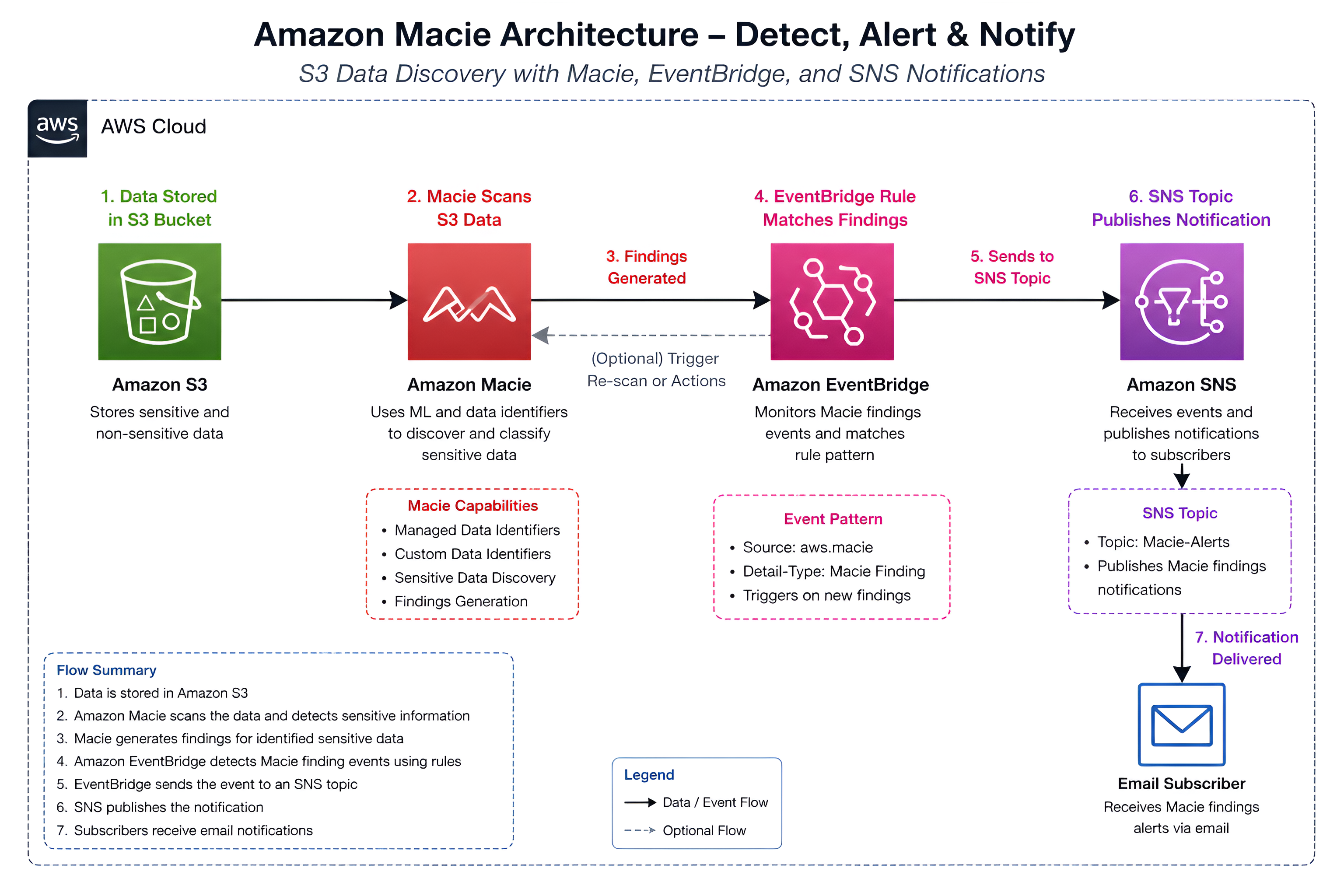
Overview of the Architecture
The workflow includes:
- Amazon S3 for storing data
- Amazon Macie for sensitive data discovery
- Amazon EventBridge for event routing
- Amazon SNS for email notifications
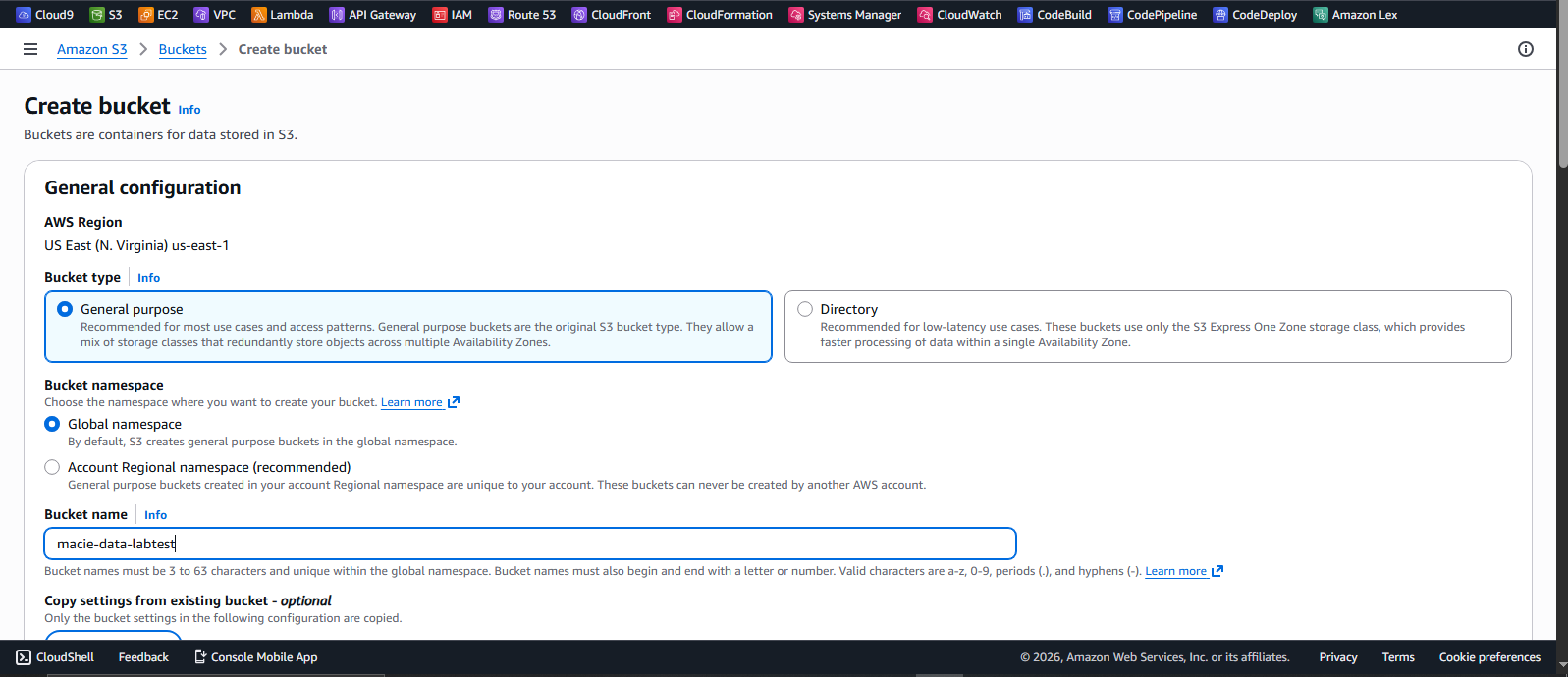
Step 1: Creating and Populating an S3 Bucket
I created an S3 bucket and uploaded a mix of sensitive and non-sensitive files.
The dataset included:
- Credit card information
- Employee records (PII)
- AWS access keys
- License plate data
- A non-sensitive image file
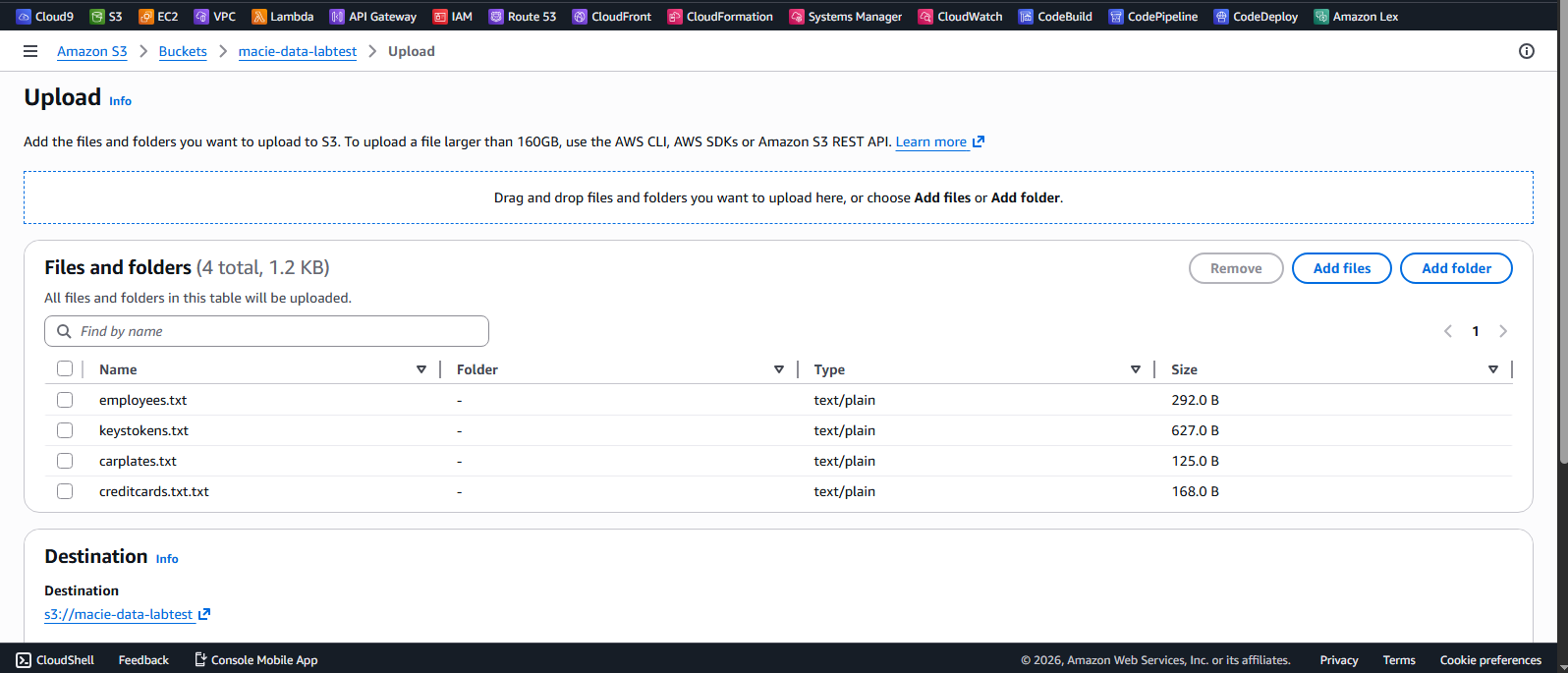
This setup helps evaluate how Macie differentiates between sensitive and non-sensitive content.
Step 2: Enabling Amazon Macie
Amazon Macie was enabled from the AWS console.

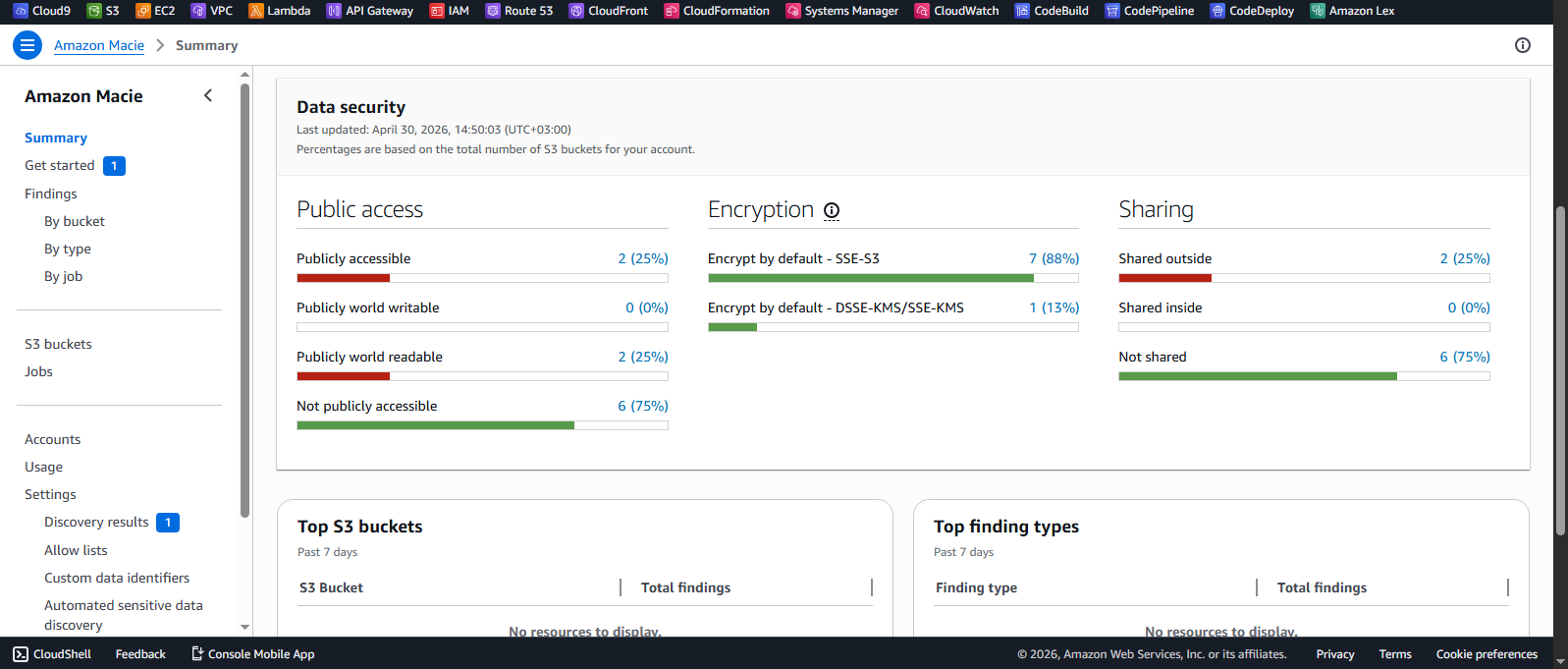
Once enabled, Amazon Macie provides a centralized dashboard that gives visibility into the security posture of your S3 data. It highlights automated discovery results, including the number of buckets being monitored.
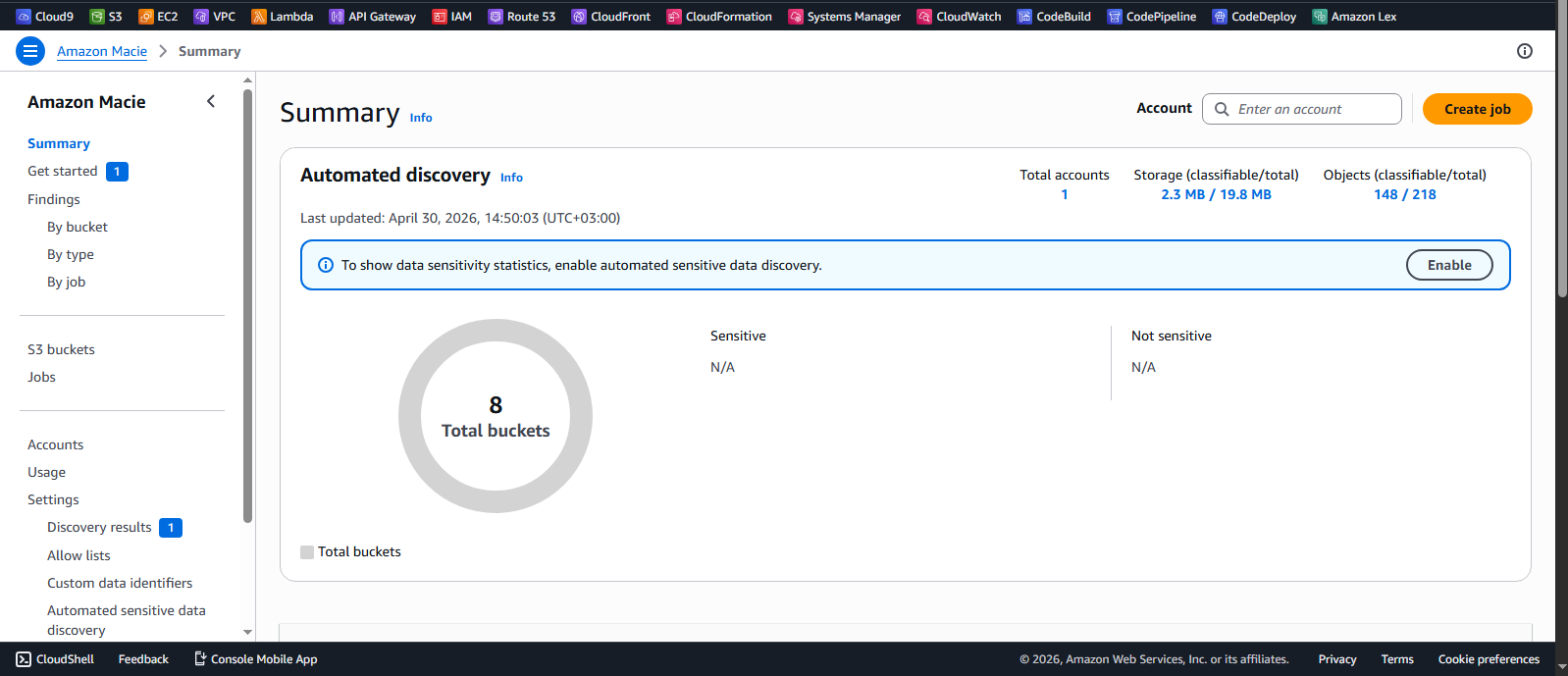
The dashboard also includes a Data Security section, which provides insights into:
- Public access configurations
- Encryption status
- Bucket sharing settings
These metrics help quickly assess potential risks and misconfigurations across your S3 environment.
Step 3: Running a Classification Job
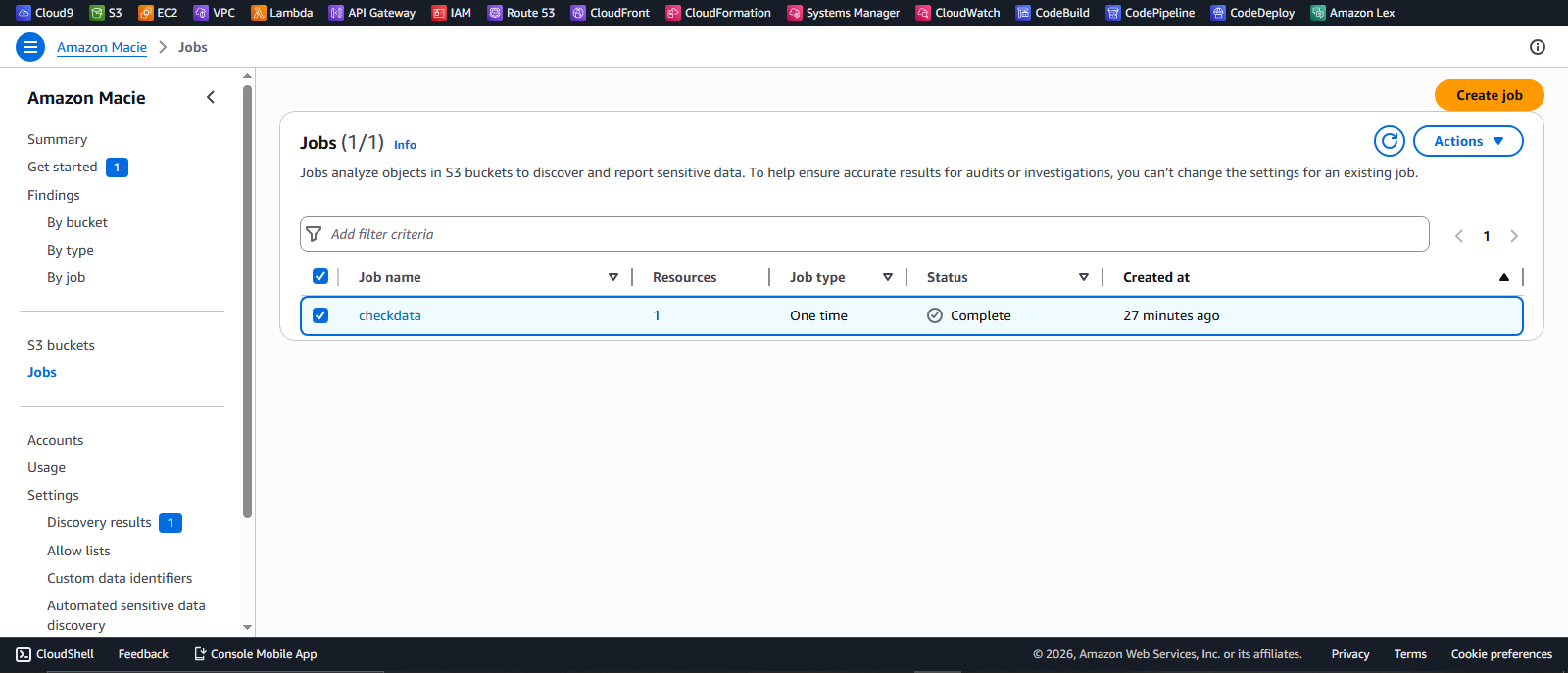
To analyze the data stored in the S3 bucket, I created a one-time classification job in Amazon Macie.
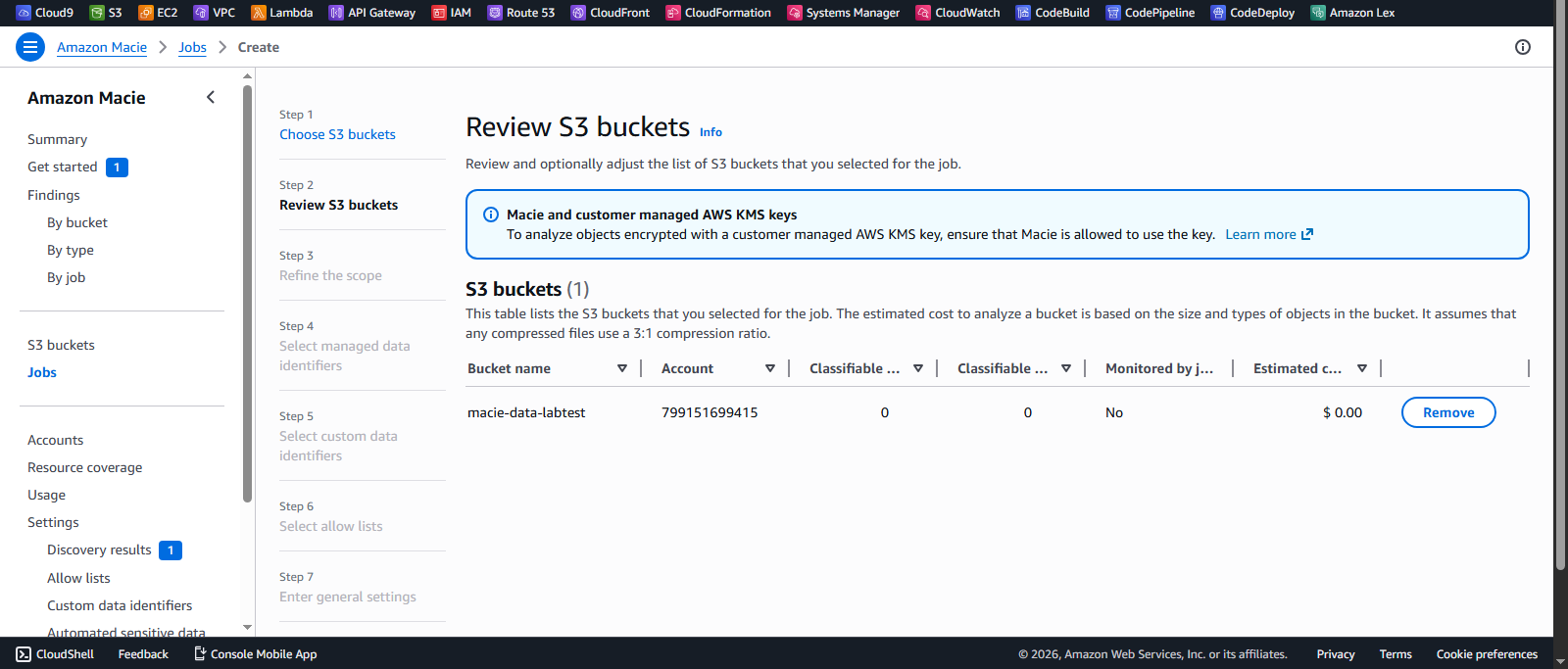
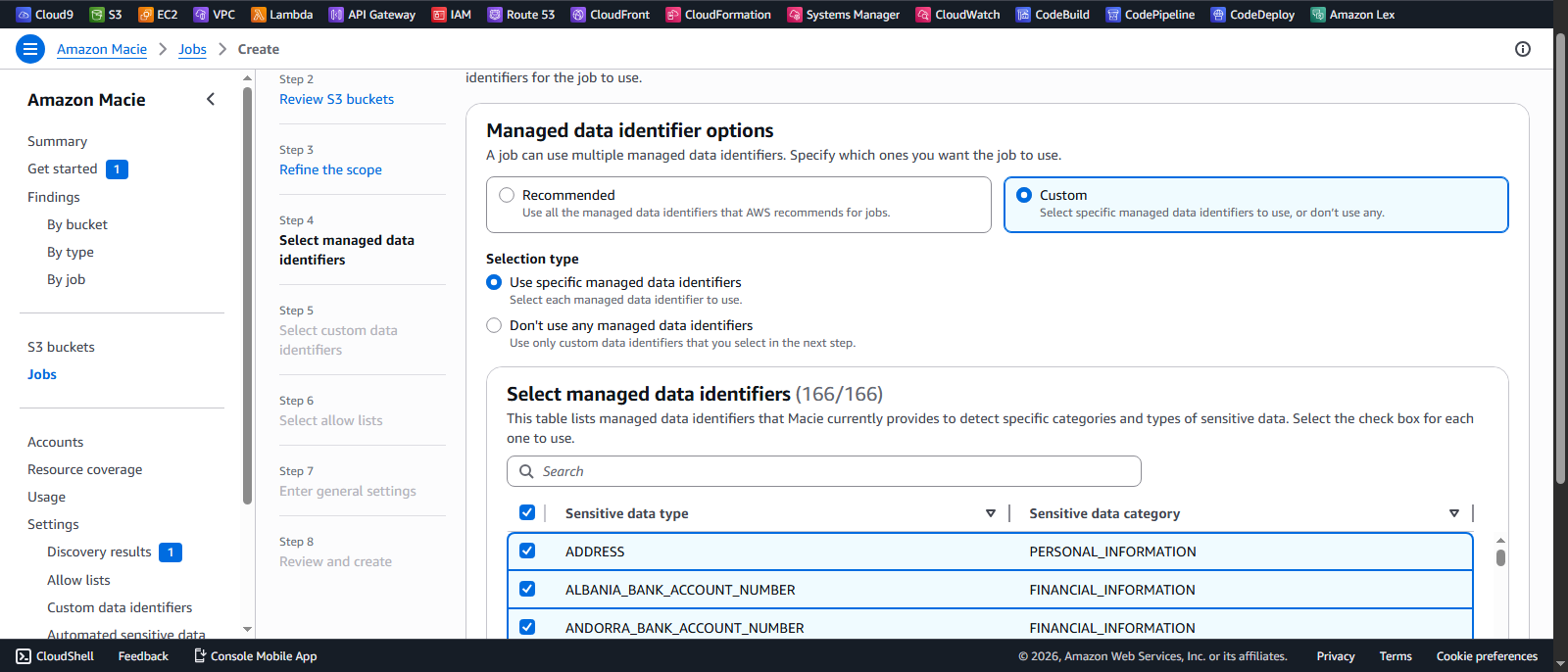
During configuration, I selected:
- One-time job – suitable for initial discovery and point-in-time analysis
- All managed data identifiers – leveraging Macie’s built-in detection for common sensitive data types such as PII, financial data, and credentials
- No custom identifiers (initially) – to first evaluate the effectiveness of default detection capabilities
Amazon Macie performs intelligent sampling and pattern matching on objects within the selected S3 bucket. It uses:
-
Machine learning models to identify anomalies
-
Pattern matching for structured data (e.g., credit card numbers, access keys)
-
Contextual analysis to reduce false positives
-
Job type selection: One-time jobs are ideal for audits, while scheduled jobs are better for continuous monitoring
-
Identifier coverage: Managed identifiers provide broad coverage but may miss region-specific or custom data formats
-
Scan depth: Deeper scans increase detection accuracy but may impact cost and execution time
After submitting the job, Macie processed the objects and generated findings based on detected sensitive data.
Step 4: Reviewing Findings
Once the classification job completed, Amazon Macie generated detailed findings based on the sensitive data detected within the S3 bucket.
Financial Data
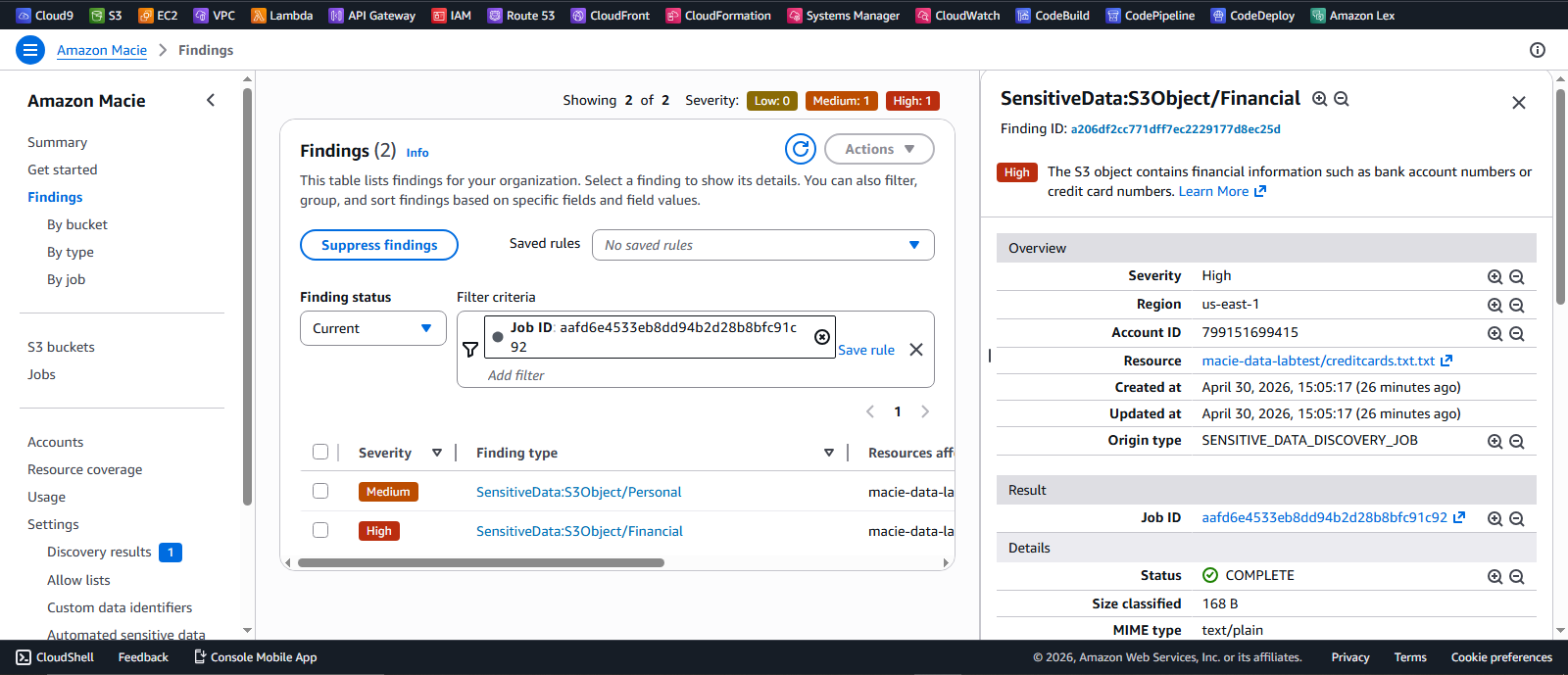
Macie identified financial data such as credit card numbers and classified these as high severity findings. These types of exposures pose immediate risk due to their potential for fraud and regulatory implications.
Personal Data
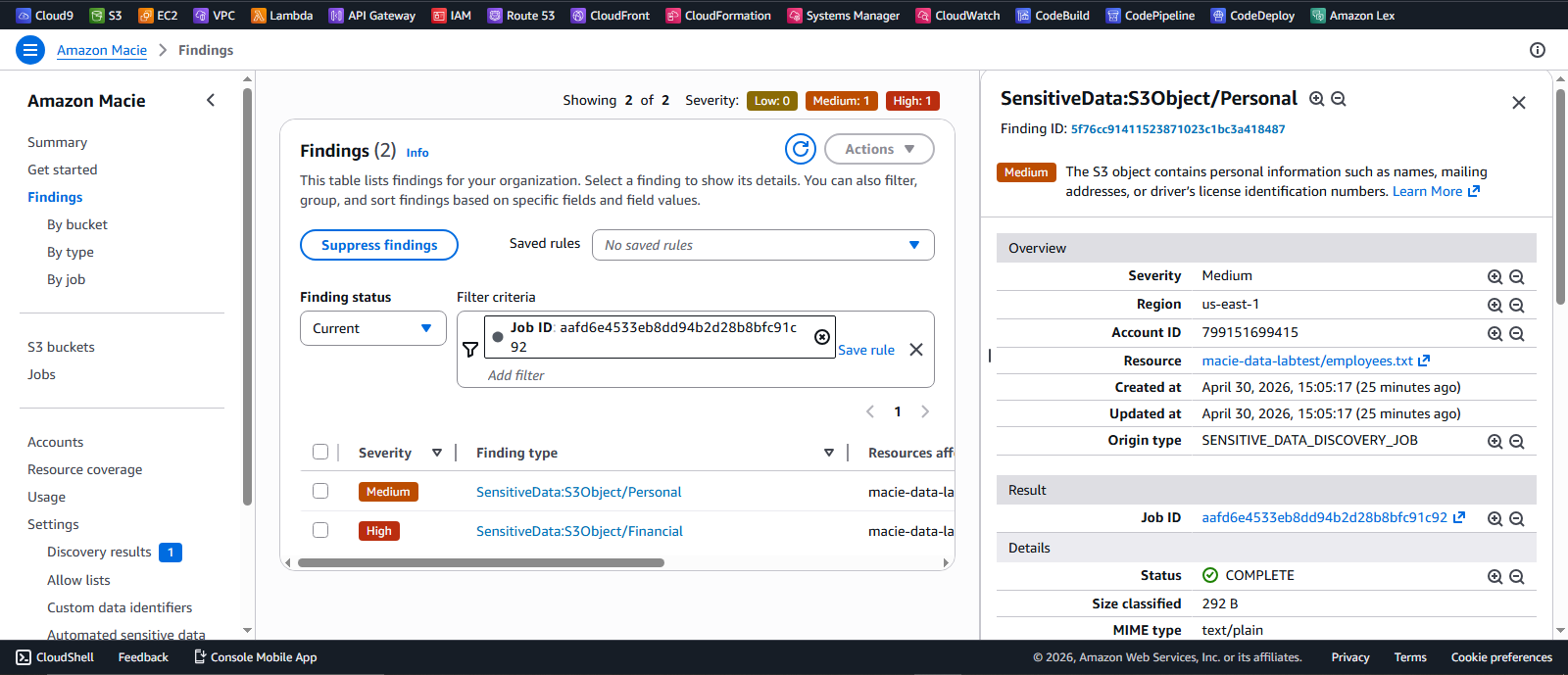
Personally Identifiable Information (PII), including employee records, was classified as medium severity findings. Macie uses managed data identifiers to recognize patterns such as names, addresses, and structured personal data.
Key Observations
- High severity findings were associated with financial data and exposed credentials, indicating high exploitability
- PII detection demonstrates Macie’s effectiveness in identifying structured personal data
- Non-sensitive objects (e.g., images) were correctly ignored, reducing noise and false positives
- Context-aware classification helps prioritize remediation based on risk level
The plates.txt file containing Australian license plate data was not flagged.
This highlights an important limitation:
Managed data identifiers cover common global patterns, but may not detect region-specific or custom data formats.
This gap reinforces the need for custom data identifiers, which are addressed in the next step.
Step 5: Setting Up Notifications (SNS + EventBridge)
To enable real-time visibility into security findings, I implemented an event-driven notification pipeline using Amazon SNS and EventBridge. Instead of manually checking the Macie dashboard, this setup ensures that any new findings automatically trigger alerts.
SNS Topic
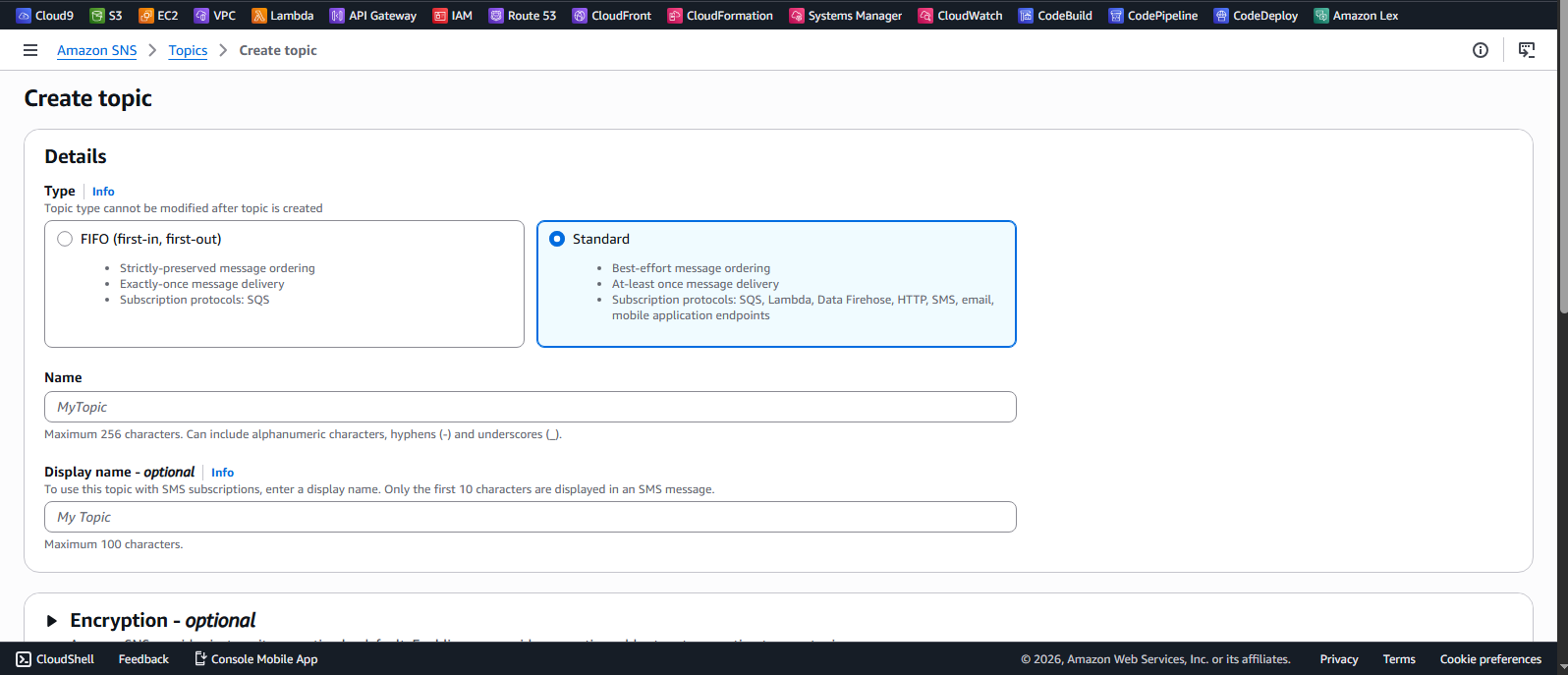
I created an SNS topic to act as the notification channel. This topic serves as the endpoint where security events are published.
Email Subscription
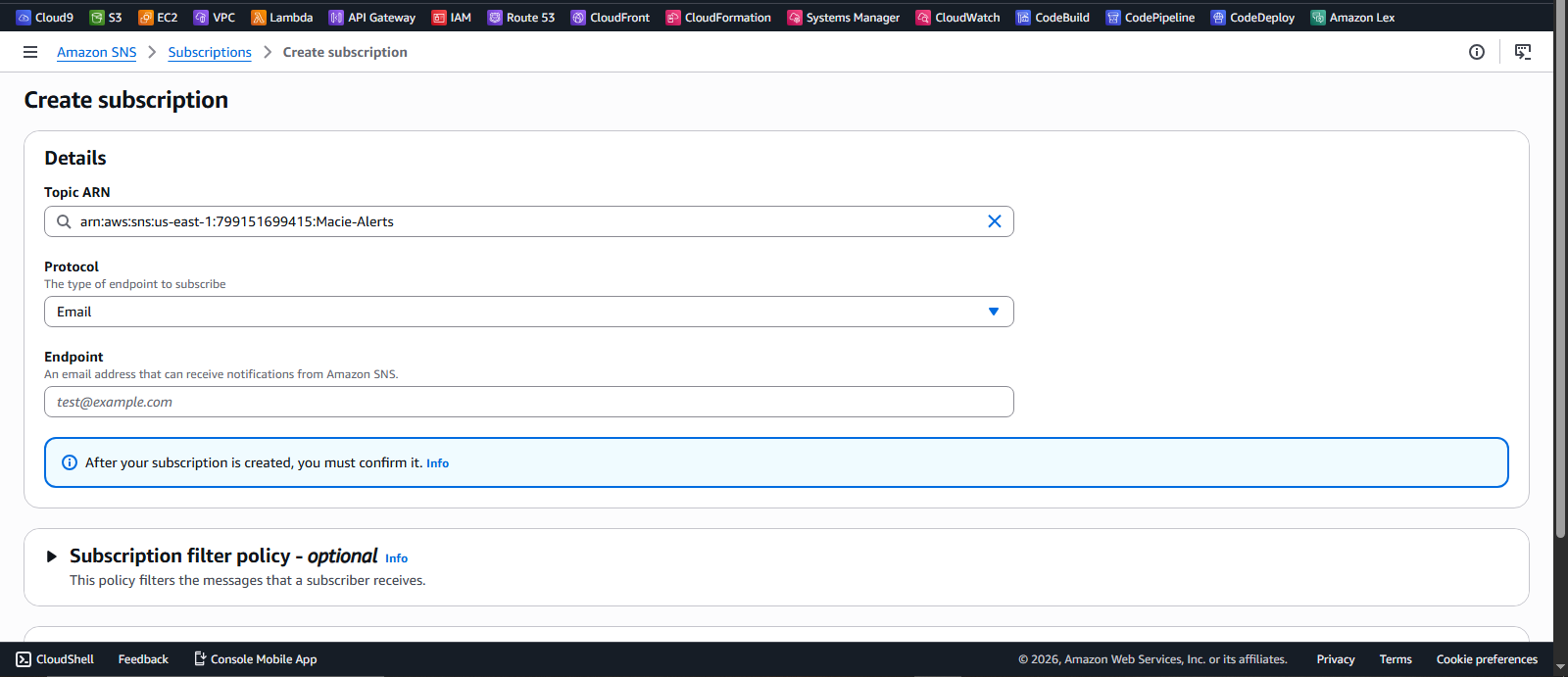
An email subscription was added to the SNS topic, allowing findings to be delivered directly to an inbox providing immediate awareness of potential data exposure risks.
EventBridge Rule
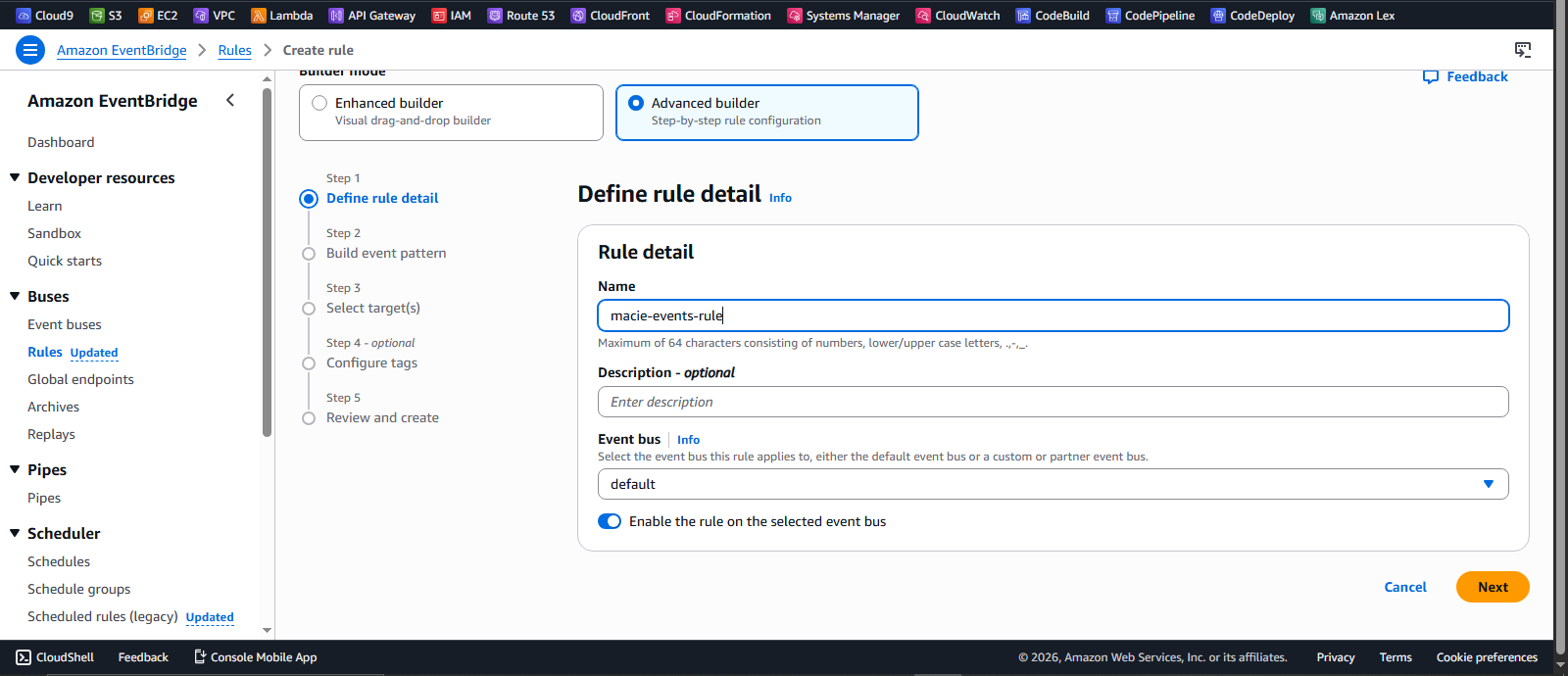
I configured an EventBridge rule to listen for Amazon Macie finding events and route them to the SNS topic.
How the workflow operates
- Amazon Macie detects sensitive data and generates a finding
- EventBridge captures the finding event in real time
- The rule routes the event to the SNS topic
- SNS delivers a notification to subscribed endpoints (email)
This architecture demonstrates a decoupled, event-driven security workflow, where detection and notification are loosely coupled.
- Enables real-time alerting without manual intervention
- Scales easily to additional targets (e.g., Lambda, SIEM tools)
- Forms the foundation for automated remediation pipelines
This approach is critical in production environments where rapid response to data exposure is required.
Step 6: Adding a Custom Data Identifier
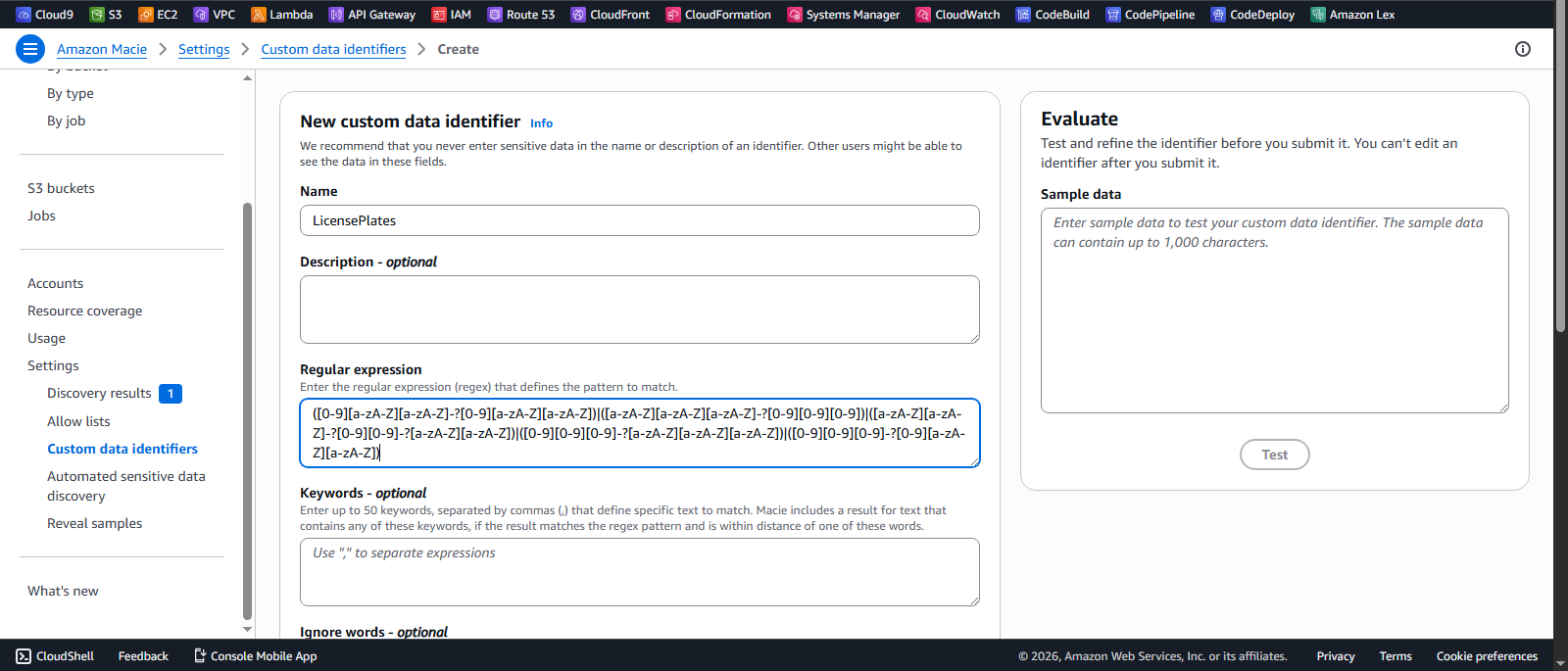
To detect Australian license plates—data that was not identified during the initial scan—I created a custom data identifier using a regular expression (regex). This allowed Amazon Macie to recognize a specific data pattern that is not included in its default managed identifiers.
Running a Custom Classification Job
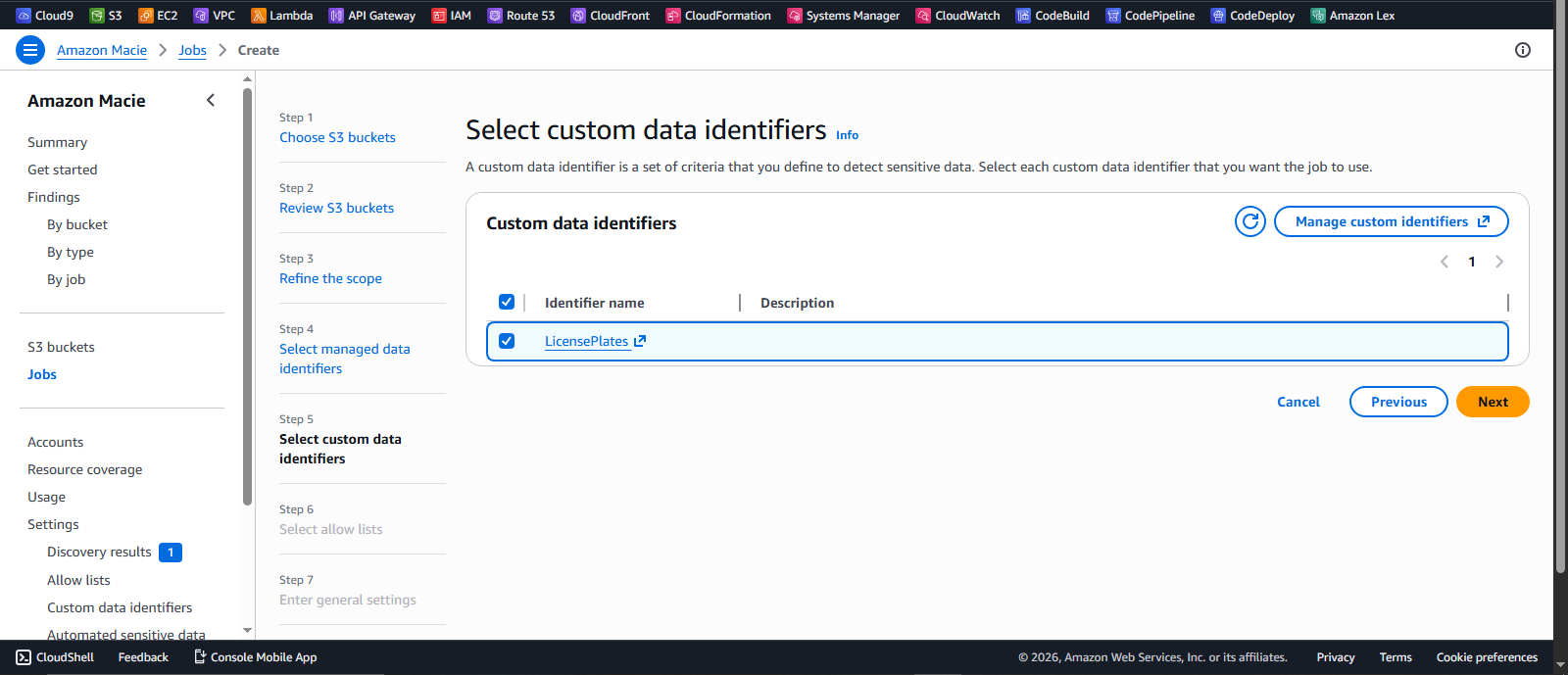
After defining the custom identifier, I created a second Amazon Macie classification job and included it in the configuration. This ensured that Macie would scan for both standard sensitive data types and the newly defined pattern.
Results from Custom Detection
Once the job completed, Amazon Macie successfully detected license plate data that was previously missed during the initial scan.
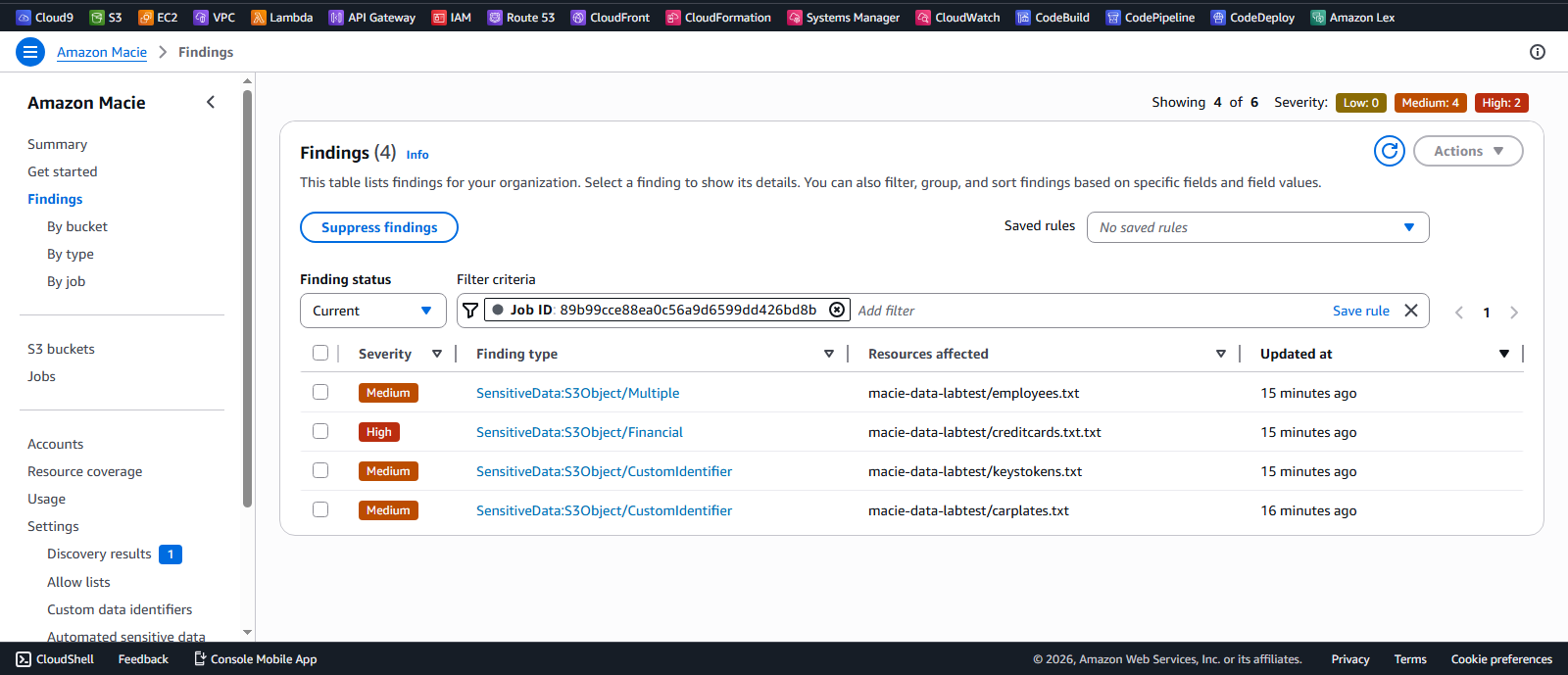
This demonstrates the value of custom data identifiers in extending Amazon Macie’s detection capabilities, particularly for identifying region-specific or business-specific sensitive data that is not covered by default rules.
Key Insights
- Amazon Macie effectively identifies sensitive data such as PII, credentials, and financial information
- Managed data identifiers provide strong out-of-the-box detection capabilities
- Custom data identifiers enable tailored detection for organization-specific use cases
- Amazon SNS and Amazon EventBridge support event-driven security workflows and automated responses
- Sensitive data stored in Amazon S3 can be continuously monitored, classified, and alerted on
Conclusion
This lab demonstrated how Amazon Macie can be used to identify and monitor sensitive data in Amazon S3 through automated classification jobs.
By integrating Macie with Amazon EventBridge and Amazon SNS, it is possible to build real-time alerting mechanisms that improve visibility and response times to potential data exposure risks.
Extending detection with custom data identifiers further enhances Macie’s ability to detect organization-specific and region-specific sensitive data patterns that are not covered by default rules.
Overall, Amazon Macie plays a critical role in strengthening data security in AWS environments by enabling proactive detection, classification, and protection of sensitive information.