
Introduction
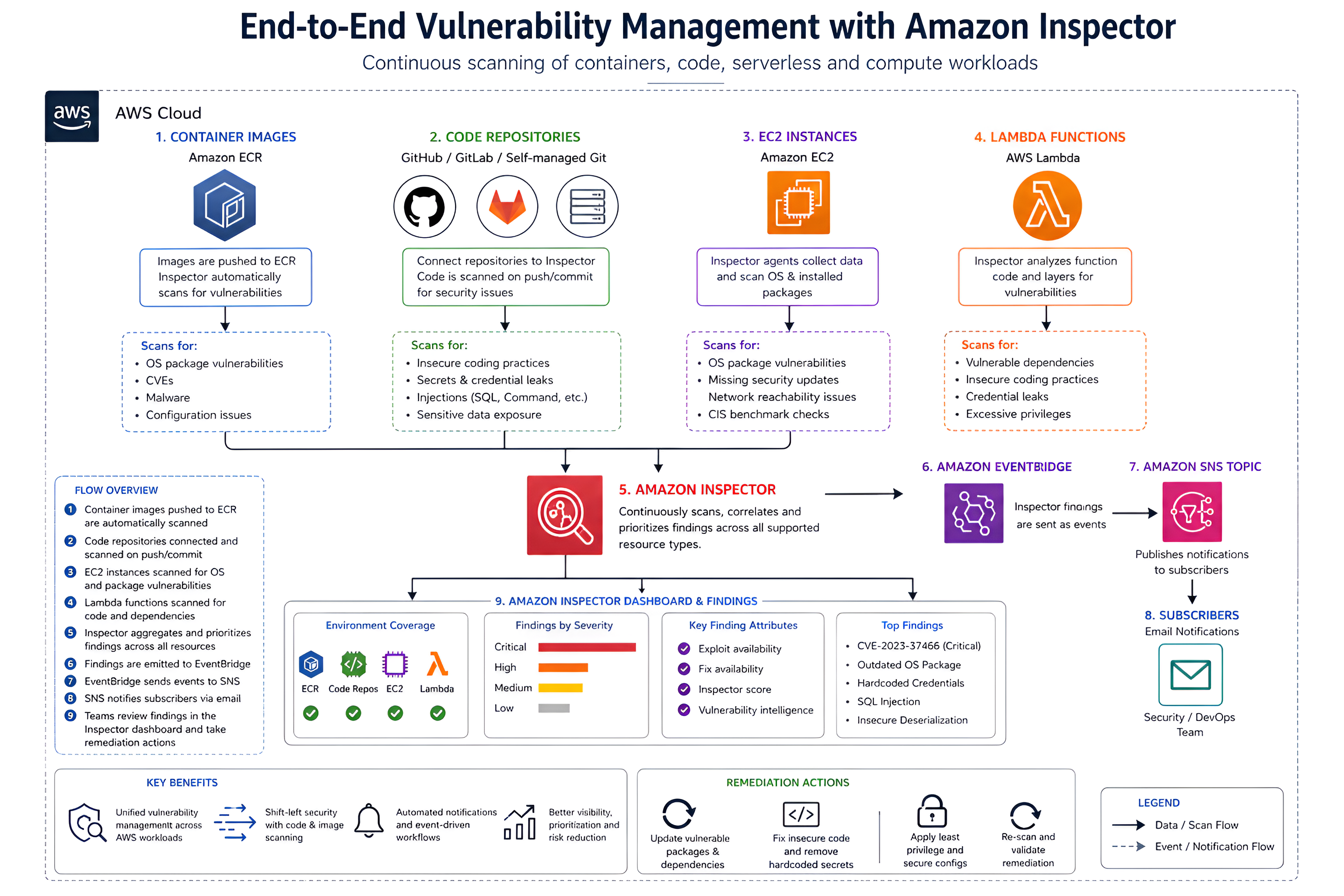
Amazon Inspector is a vulnerability management service that continuously scans AWS resources for security flaws, package vulnerabilities, and insecure coding practices.
It supports multiple resource types, including:
- Lambda Functions – scans package layers and code for vulnerabilities
- EC2 Virtual Servers – deep inspection of Linux and Windows OS packages
- Elastic Container Registry (ECR) – scans container images for CVEs and malware
- Code Repositories – integrates with GitHub and GitLab to detect insecure code
Amazon Inspector Dashboard and Findings
The Amazon Inspector dashboard provides a centralized view of your environment’s security posture, including coverage across EC2, ECR, Lambda, and code repositories.
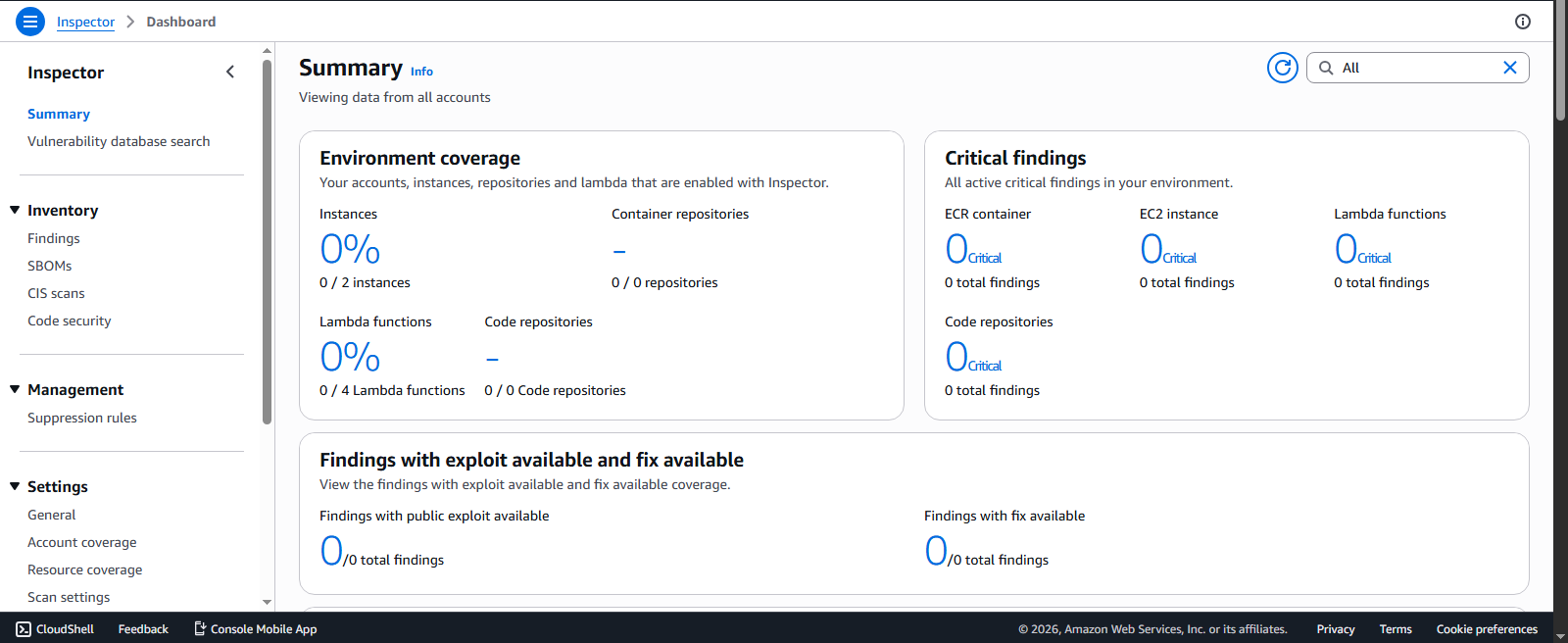
It highlights findings categorized by severity, allowing teams to prioritize critical vulnerabilities that are easier for attackers to exploit.
Each finding includes:
- Exploit availability – whether public exploits exist
- Fix availability – whether remediation is possible
In this lab, I explored how Amazon Inspector scans container images pushed to Amazon ECR, as well as code pushed to GitHub.
Exploring ECR Image Scanning
Within ECR, we can view the available container images:
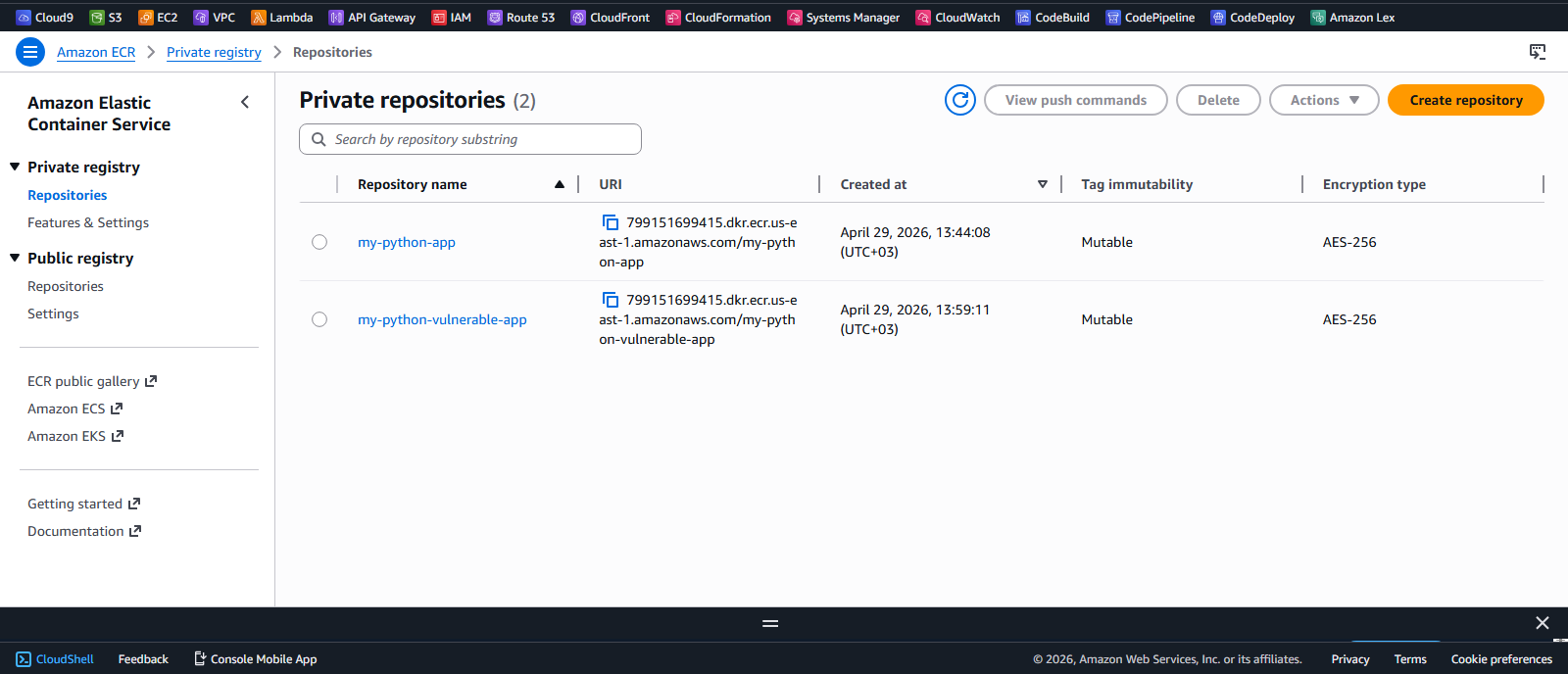
For this demonstration, I used the Juice Shop image, a deliberately vulnerable application commonly used for security testing.
After pushing the image to ECR, Amazon Inspector automatically detected it and initiated a vulnerability scan.
Inspector Findings for the Image
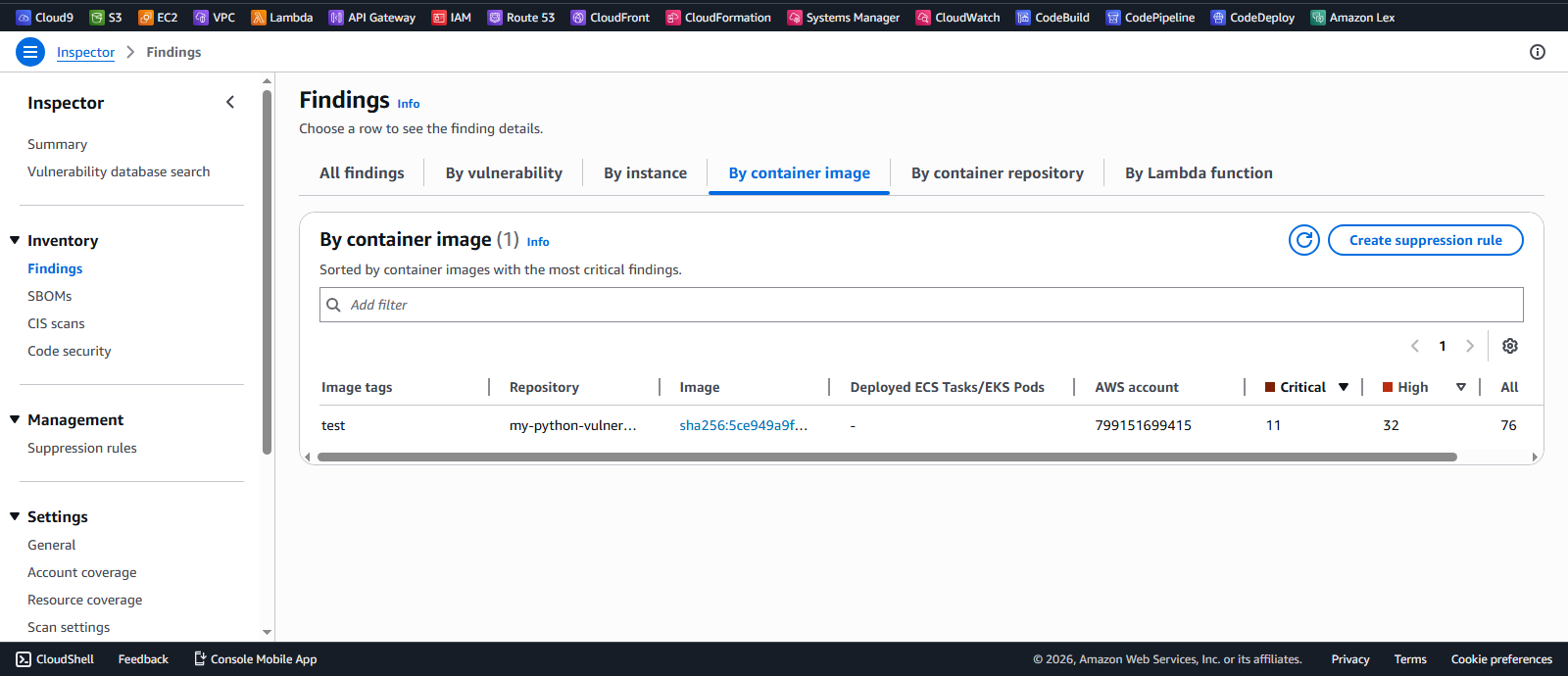
Amazon Inspector successfully captured the image and generated findings based on identified vulnerabilities in the container.
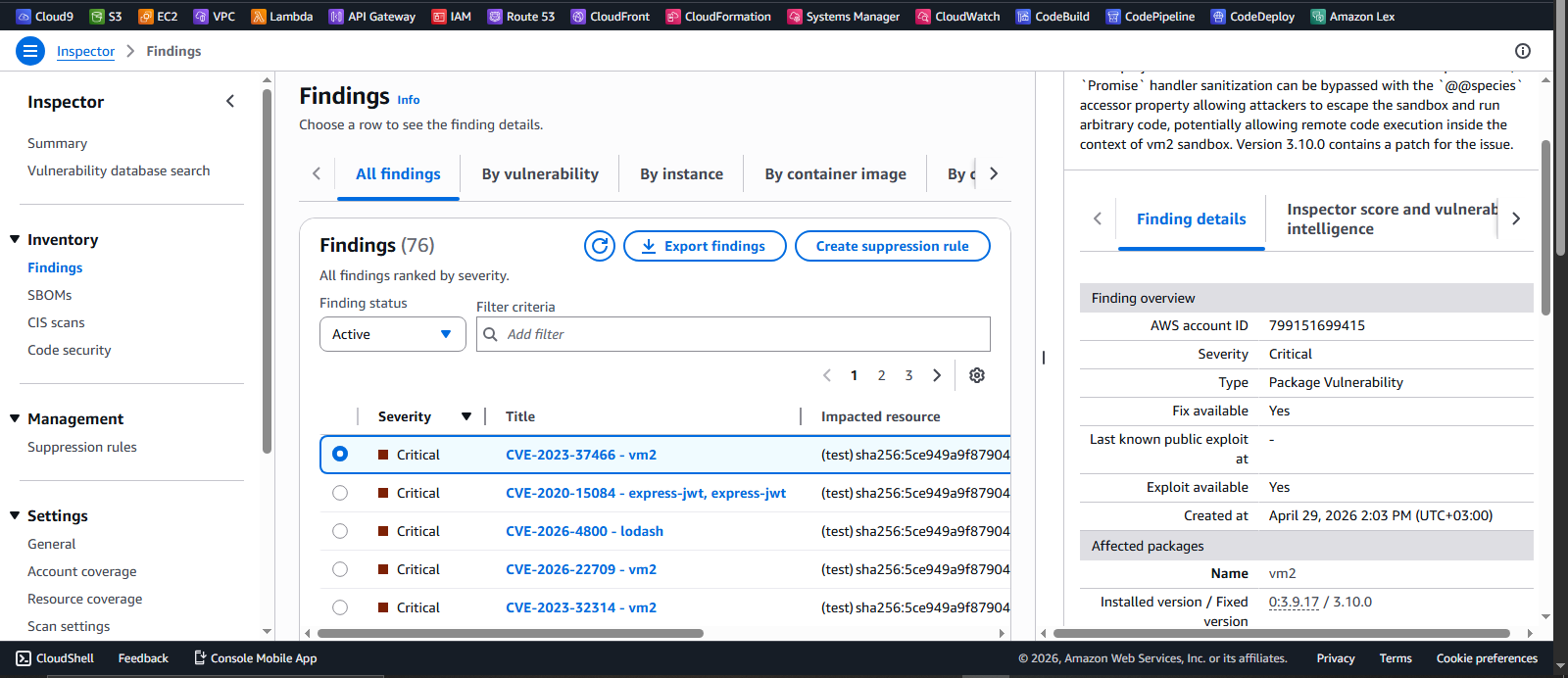
The findings include several critical vulnerabilities, which can be expanded to view more detailed information about each issue.
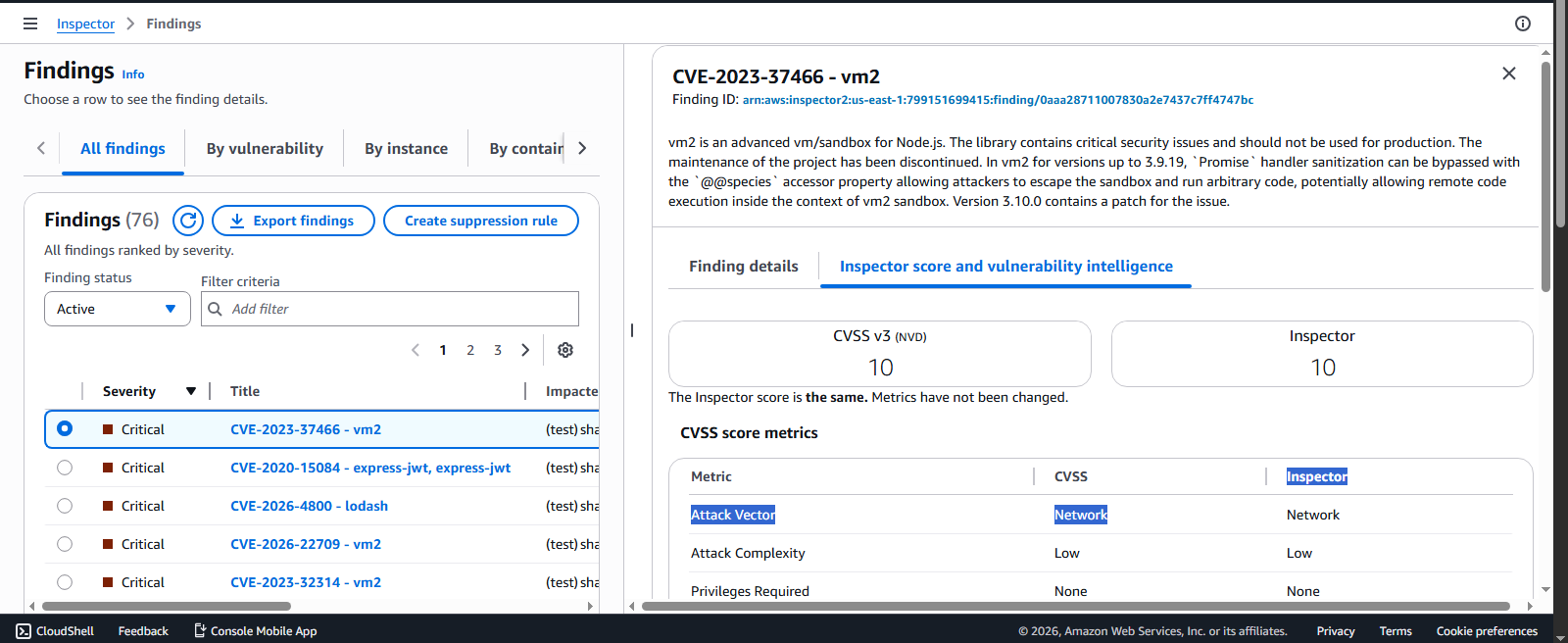
The Inspector score provides insights into the severity and exploitability of the vulnerabilities, supported by detailed vulnerability intelligence to guide remediation efforts.
Detailed Findings and Vulnerability Insights
Inspector provides deep visibility into each vulnerability.
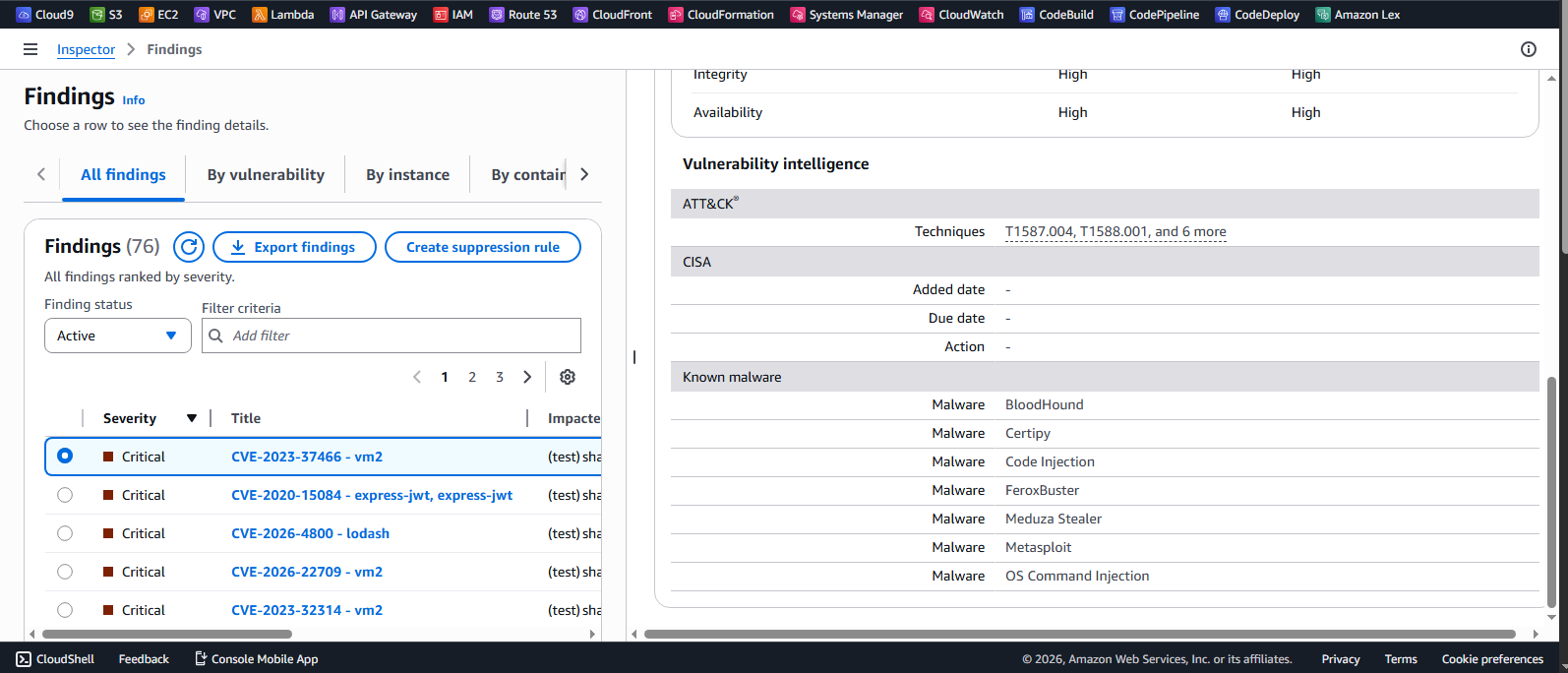
Expanding a finding reveals:
- Account ID, severity, affected packages, and timestamps
- Inspector score and vulnerability intelligence
- Integration with MITRE ATT&CK techniques
- External references such as vendor severity and tools like Tenable
Vulnerability Database Search
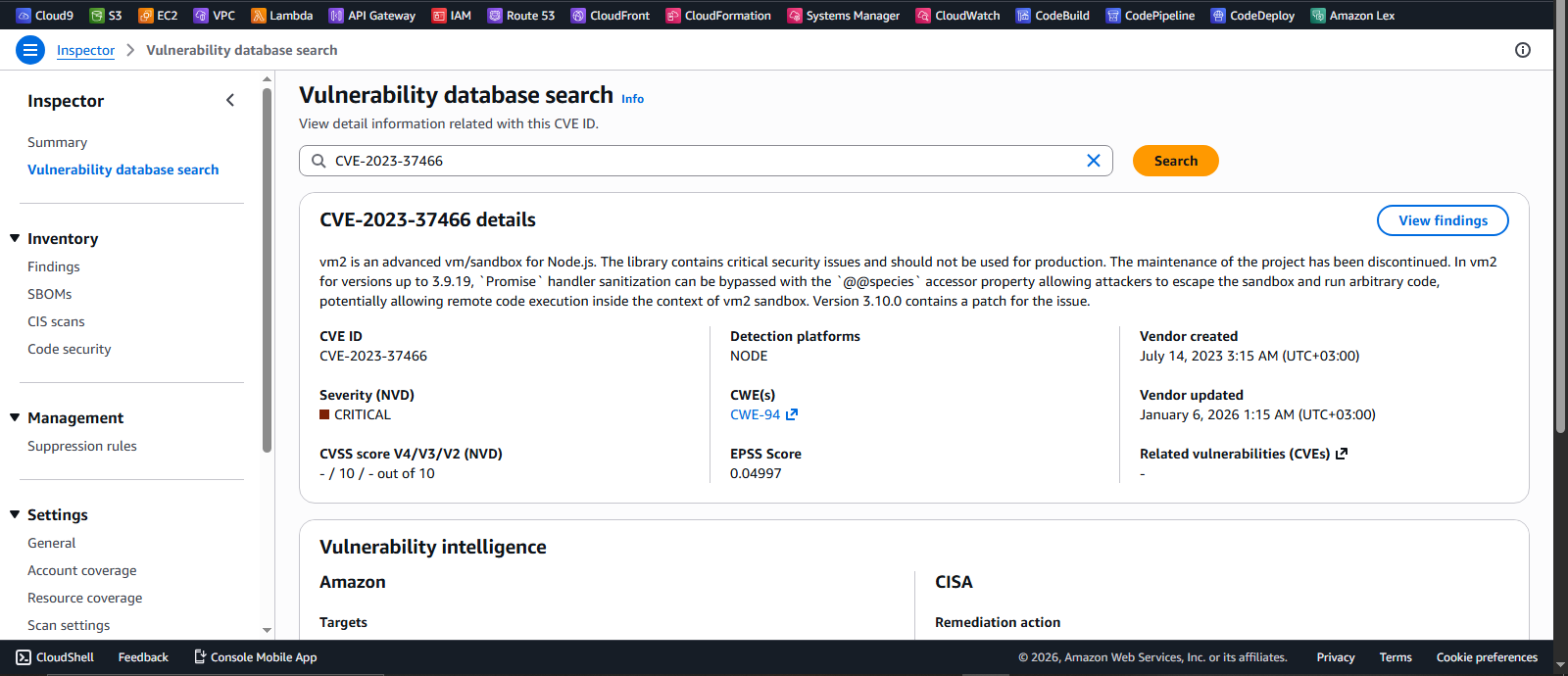
Amazon Inspector provides a built-in vulnerability database search feature that allows you to query specific vulnerabilities, such as CVE-2023-37466.
This enables you to:
- Quickly identify affected resources
- Understand the severity of the vulnerability
- Gain insight into exploitability and potential impact
The results provide a clear view of the risk level, helping prioritize remediation efforts effectively.
Vulnerability Types and Remediation
Amazon Inspector helps identify insecure coding practices that can introduce serious security risks into applications and workloads.
Some common issues include:
- Excessive privileges – for example, running processes as root, which increases the impact if a system is compromised
- Credential exposure – such as accidentally logging or exposing AWS access keys in application logs
- Unsafe code execution – for example, using functions like
pickle.loads, which can allow arbitrary code execution if untrusted input is processed
These vulnerabilities can be exploited to gain unauthorized access, escalate privileges, or execute malicious code within an environment.
Recommended Remediation
To reduce these risks, best practices include:
- Validating and sanitizing all user input before processing it
- Avoiding unsafe system or subprocess calls where possible
- Replacing insecure libraries or functions with safer, modern alternatives
Integration with Code Repositories
Amazon Inspector now supports scanning of code stored in source code repositories, allowing developers to identify vulnerabilities early in the development lifecycle.
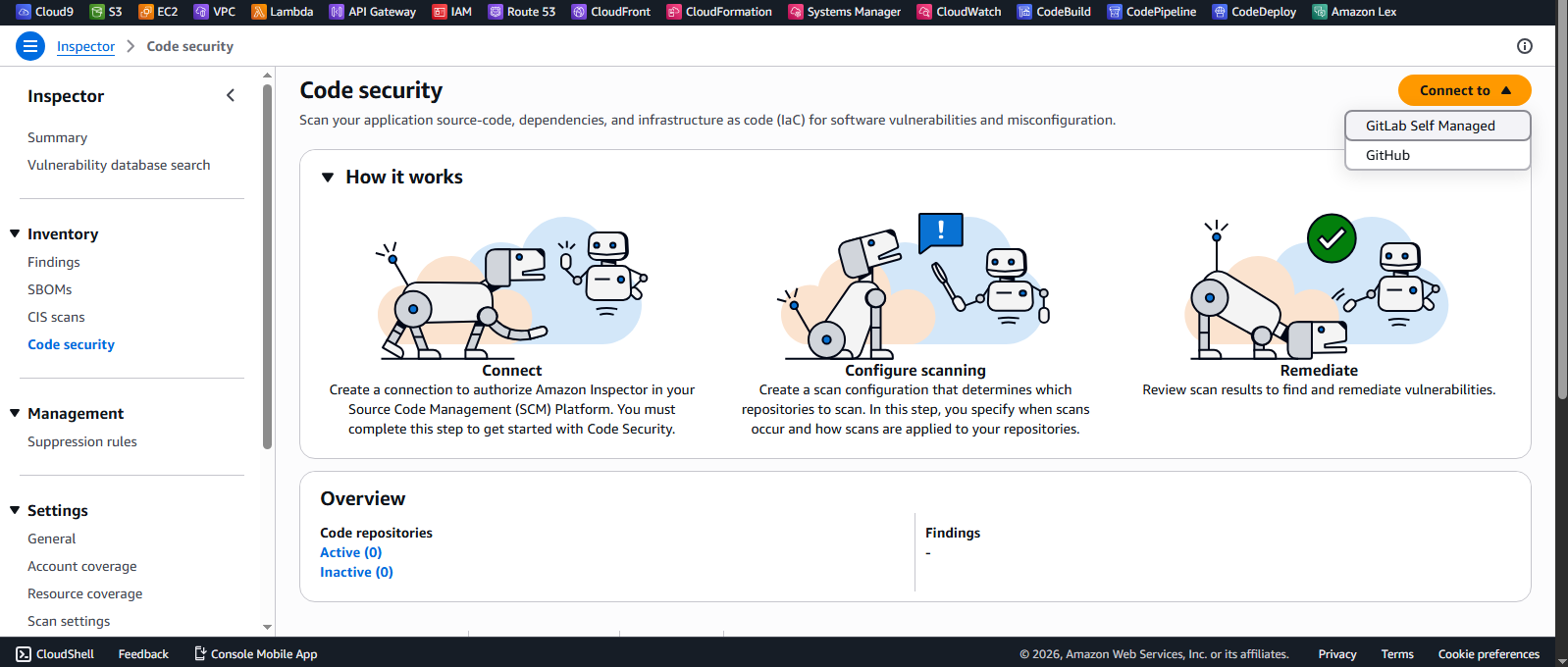
This feature enables continuous security analysis of code hosted in repositories, helping detect insecure coding patterns before deployment.
Connecting GitHub for Code Scanning
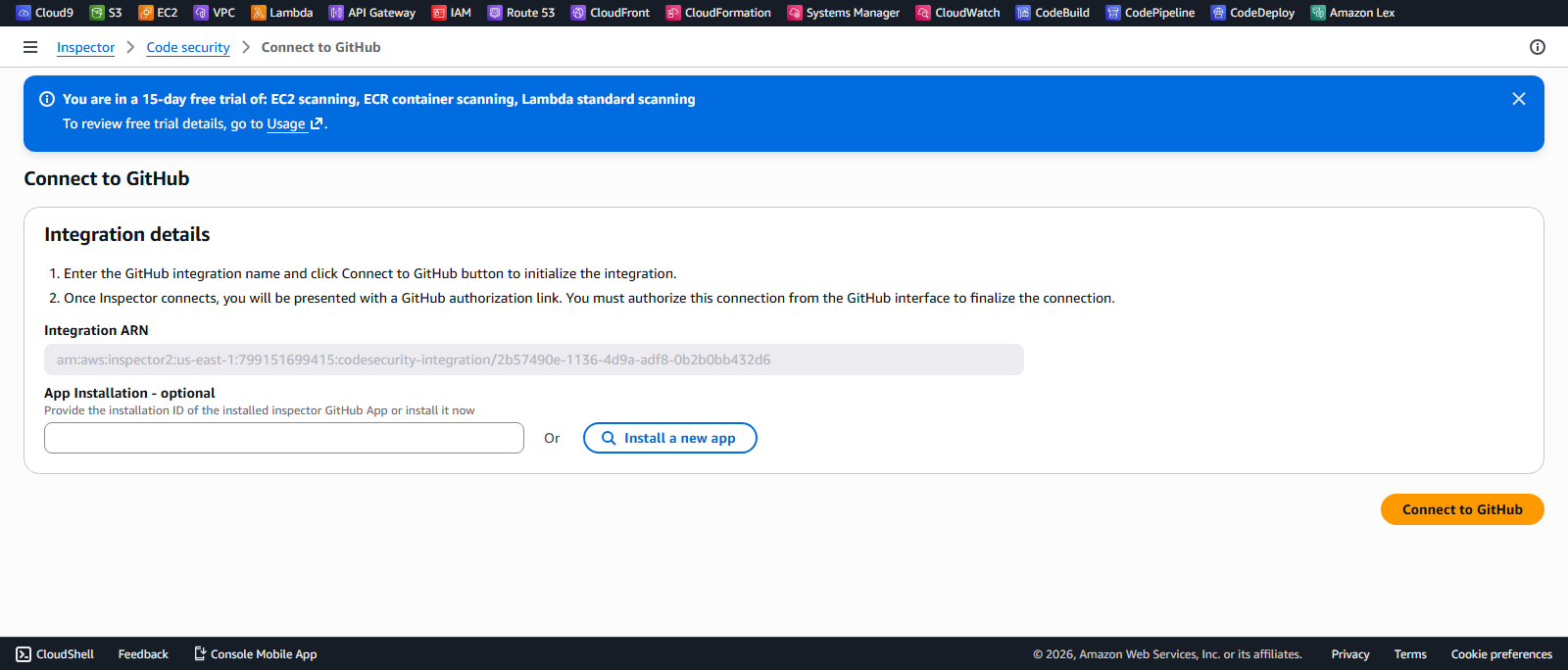
To enable scanning, we integrate Amazon Inspector with GitHub through the integration tab. By selecting “Install a new app”, we authenticate and choose the repositories we want to scan.
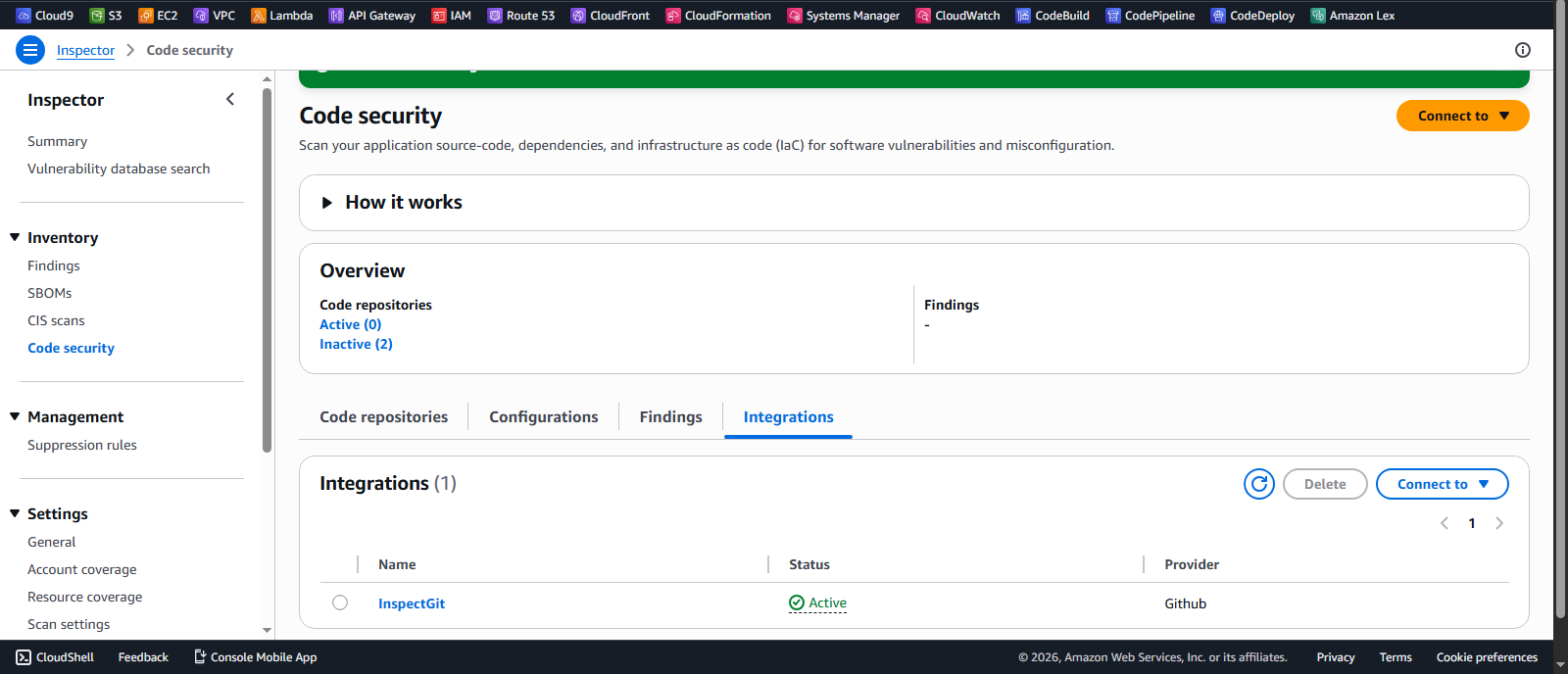
Once the integration is complete, the selected repositories are imported into the Inspector workspace, and their status is set to active, indicating they are ready for scanning.
Triggering Code Scans
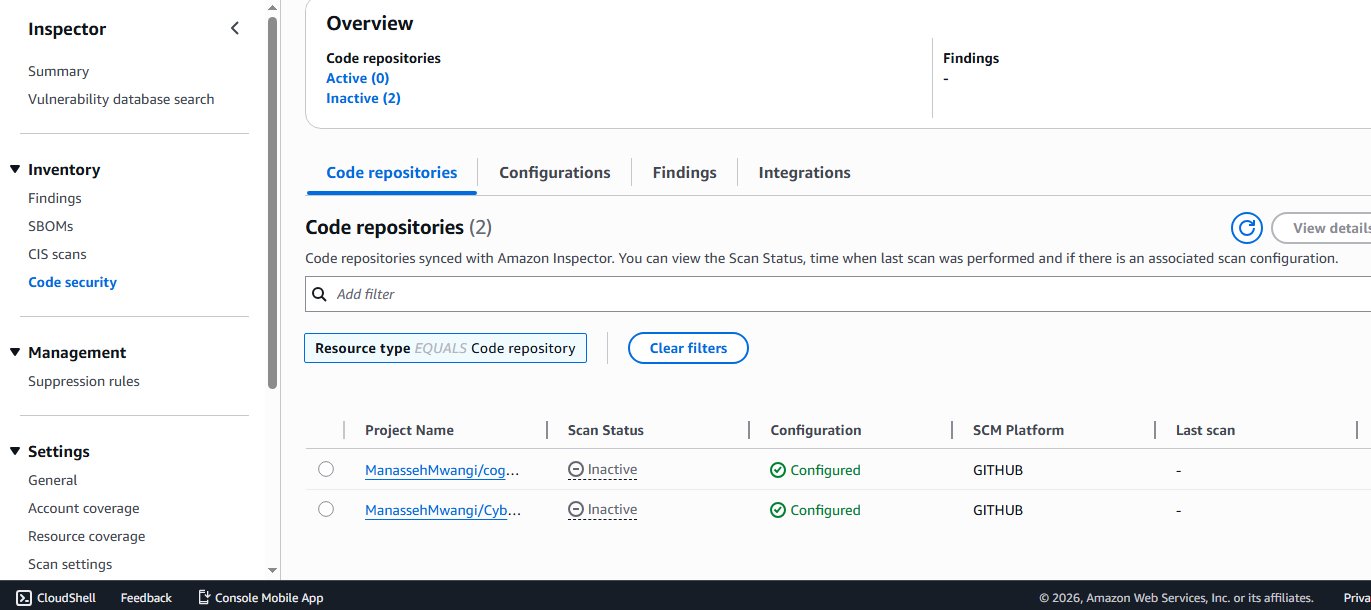
At this stage, the scan status may remain inactive until changes are pushed to the repository. A code commit or update is required to trigger Amazon Inspector to begin scanning.
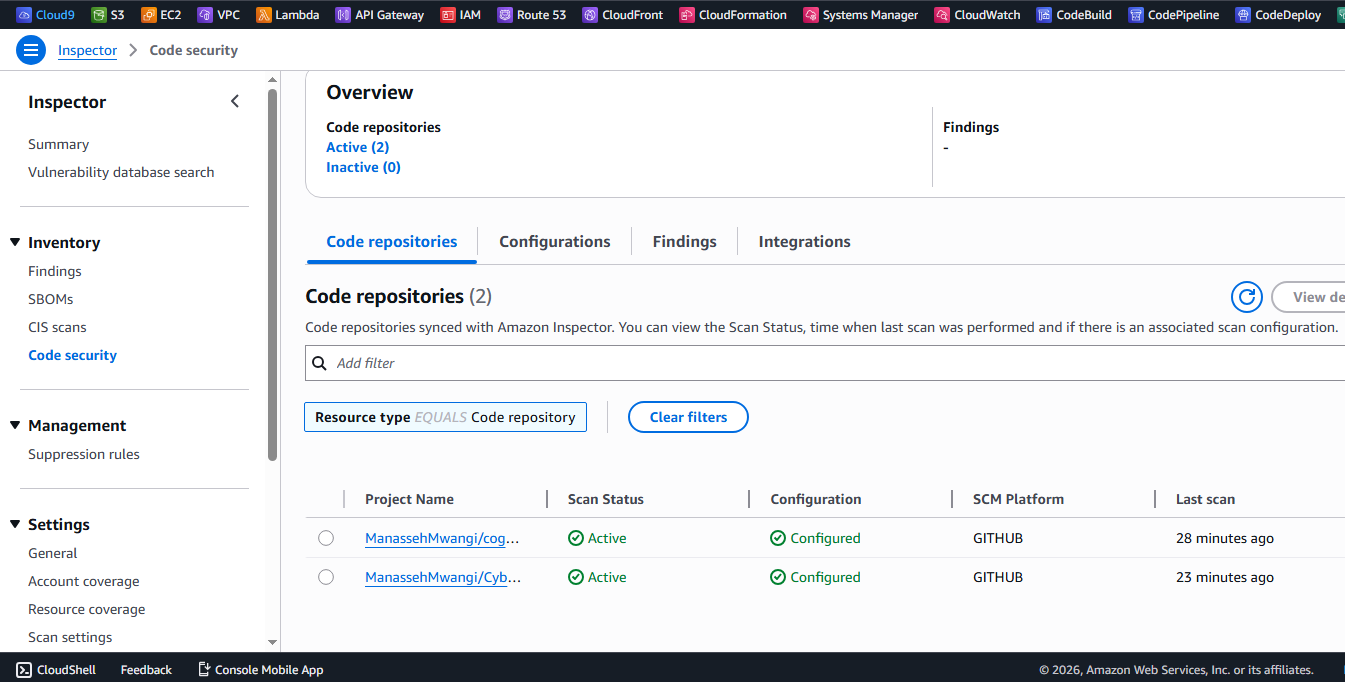
After pushing changes, the scan is successfully triggered, and the status updates from inactive to active, indicating that analysis is in progress.
Findings from Code Repositories
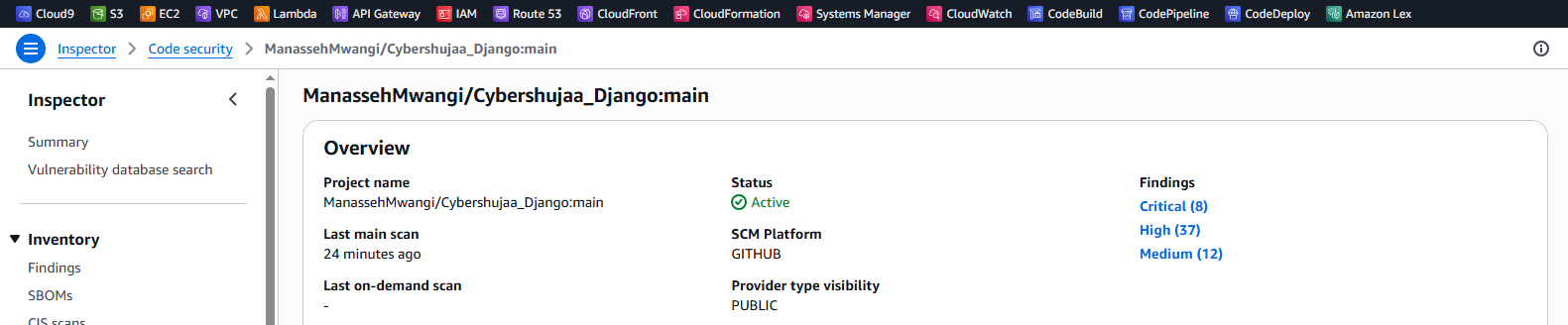
The scanned repository (e.g., cybershujaa_Django) contains intentionally vulnerable code used for testing purposes. It is based on a deliberately vulnerable Django application originally created by nVisium.
Amazon Inspector identifies multiple issues, including:
- Sensitive data exposure (e.g., JWT tokens logged via print statements)
- SQL injection vulnerabilities
- General insecure coding practices
Each finding includes:
- The exact file and line number
- Severity level
- Suggested remediation steps
This level of detail helps developers quickly locate and fix security issues within the codebase.
Inspector Dashboard Overview
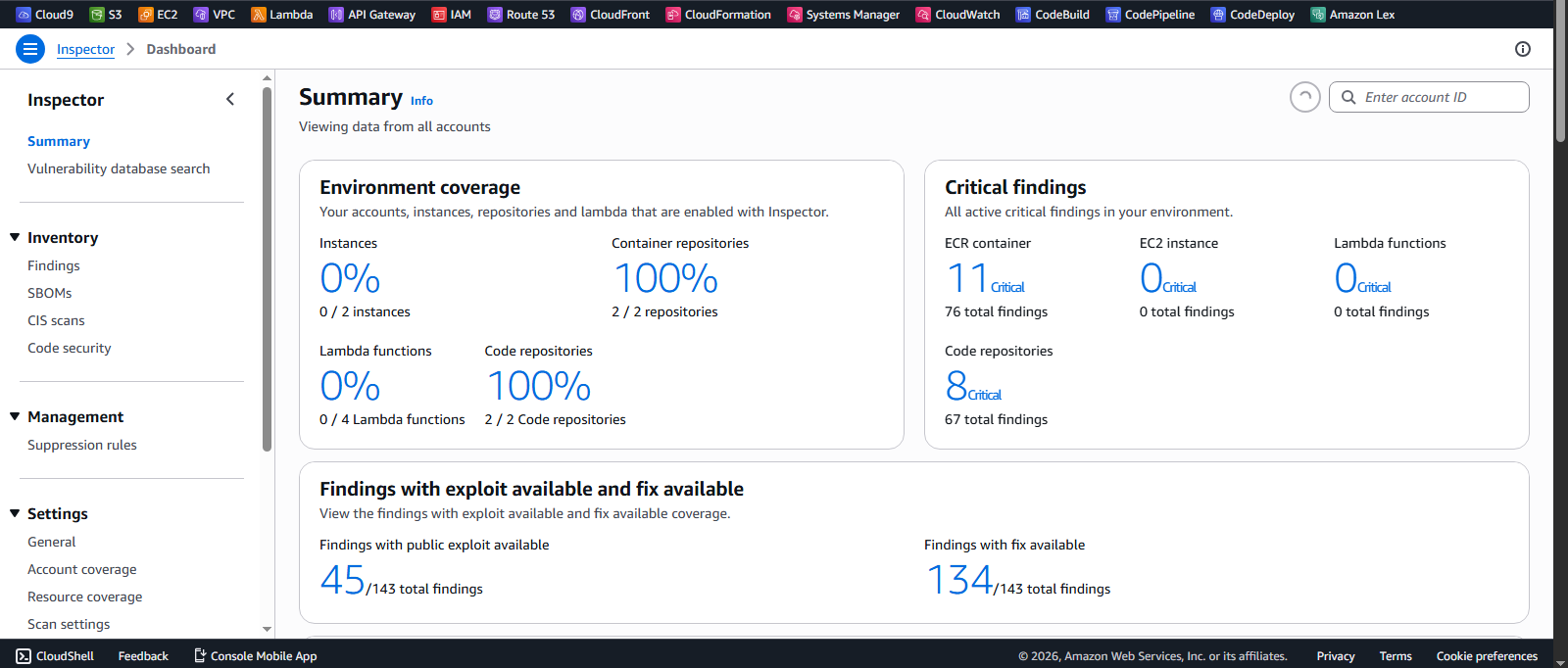
Returning to the dashboard, we can see a consolidated view of vulnerabilities from both:
- Container images in ECR
- Code repositories integrated with GitHub
The summary highlights:
- Critical findings
- Environment coverage
- Vulnerabilities with exploit availability
- Issues with available fixes
Key Insight
Amazon Inspector’s code security feature allows developers to shift security left by scanning repositories directly within the CI/CD workflow. It integrates seamlessly with GitHub, GitLab, and self-managed Git servers.
This ensures that vulnerabilities are detected early, reducing risk before applications are deployed into production.
Summary Table: Amazon Inspector: Supported Resources and Scanning Overview
The table below summarizes the key AWS resources supported by Amazon Inspector and the types of security scanning applied to each.
| Resource Type | Scan Focus | Key Features |
|---|---|---|
| Lambda Functions | Package layers, code security | Detects vulnerable code, excessive privileges, credential leaks |
| EC2 Virtual Servers | OS and package vulnerabilities | Supports Linux & Windows, deep package inspection |
| Elastic Container Registry (ECR) | Container image vulnerabilities | Scans pushed images, flags EOL OS, CVEs, malware |
| Code Repositories (GitHub, GitLab) | Code vulnerabilities | Scans repositories for insecure code practices |
Conclusion
Amazon Inspector provides a unified approach to vulnerability management across modern AWS workloads, including container images in Amazon ECR and source code stored in repositories such as GitHub.
Through this lab, we observed how Inspector automatically detects vulnerabilities after images are pushed and code changes are introduced, offering continuous scanning without manual intervention.
Its integration with container workflows and code repositories enables a shift-left security approach, allowing teams to identify and remediate issues early in the development lifecycle.
Overall, Amazon Inspector plays a key role in improving security visibility and helping teams prioritize and address critical vulnerabilities in cloud-native environments.