Introduction
API stands for Application Programming Interface. API is a set of definitions and protocols for building and integrating application software. This interface allows different software programs to interact with each other by calling functions, passing data and accessing different capabilities.
Types of APIs
The main types are:
- REST APIs - REST(Representational State Transfer) This is a common architecture style. They typically provide CRUD(create, Read,Update, Delete) operations and use HTTP requests such as GET, POST, PUT, DELETE. Data is usually returned in JSON or XML format.
- SOAP APIs - SOAP (Simple Object Access Protocol) is an older style of web service API that uses XML for messaging. SOAP APIs are more rigid than REST and require more bandwidth.
- GraphQL APIs - GraphQL is a newer API standard that allows clients to specify exactly what data they need in a query. It can be more efficient than REST for fetching specific fields.
- Webhook APIs - Webhooks allow apps to provide other applications with real-time information via callbacks. The receiving app registers a webhook which triggers an event on a certain action.
- Async APIs - Async APIs use message queues to enable asynchronous communication between apps. The app publishes a message rather than directly calling another app.
- Streaming APIs - Streaming APIs give clients a continuous stream of data in real-time. This is useful for apps like live video streaming.
- Microservices APIs - Microservices break down an app into small modular services with their own APIs. This allows for more flexible and scalable development as services can be independently maintained and updated.
Lab
This lab is based on Build your first CRUD API in 45 minutes or less! from AWS Workshops.
Prerequisites
- DynamoDB for Data Storage: It integrates seamlessly with other AWS services, making it a reliable choice for storing and retrieving data in serverless applications.
- Lambda for Serverless Compute: It can be triggered by various events, such as HTTP requests from API Gateway, making it ideal for building serverless APIs.
- API Gateway for Endpoint Management: It integrates with Lambda functions, enabling you to define API endpoints that trigger serverless functions to process incoming requests.
- Cloud9 for Development Environment: It allows developers to write, test, and debug code directly in the cloud.
Step 1: Setting up DynamoDB
Setting up a DynamoDB table named “http-crud-tutorial-items” with a primary key “id.” DynamoDB is a fully managed NoSQL database service provided by AWS, offering scalability, performance, and reliability for handling structured data.
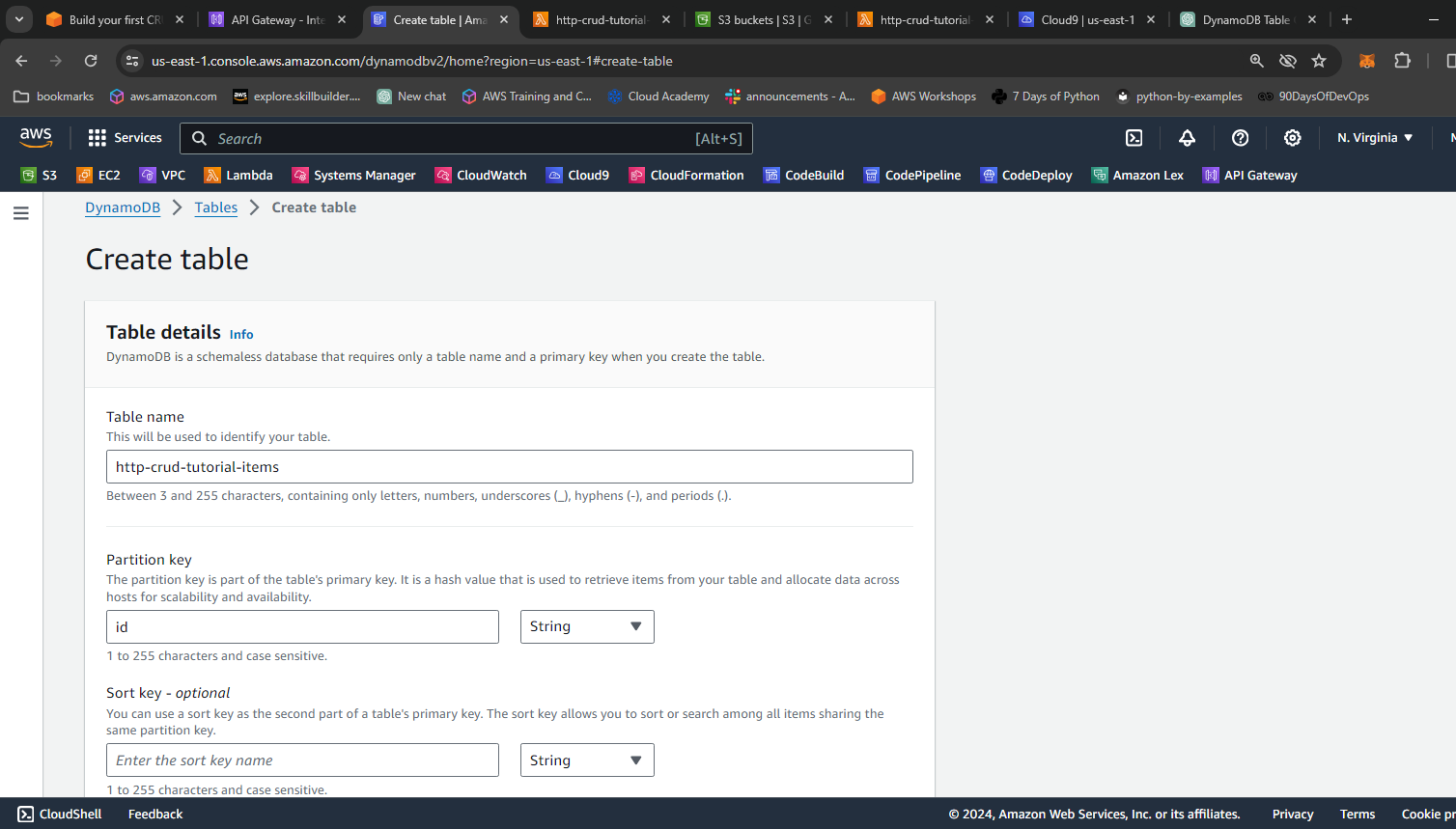 Create a DynamoDB table
Step 2: Creating a Lambda Function
Next, we create a Lambda function named “http-crud-tutorial-function” that interacts with DynamoDB to perform CRUD operations. The Lambda function is written in Node.js 14.x and uses the AWS SDK to communicate with DynamoDB. It handles HTTP requests from API Gateway and executes corresponding operations on the DynamoDB table.
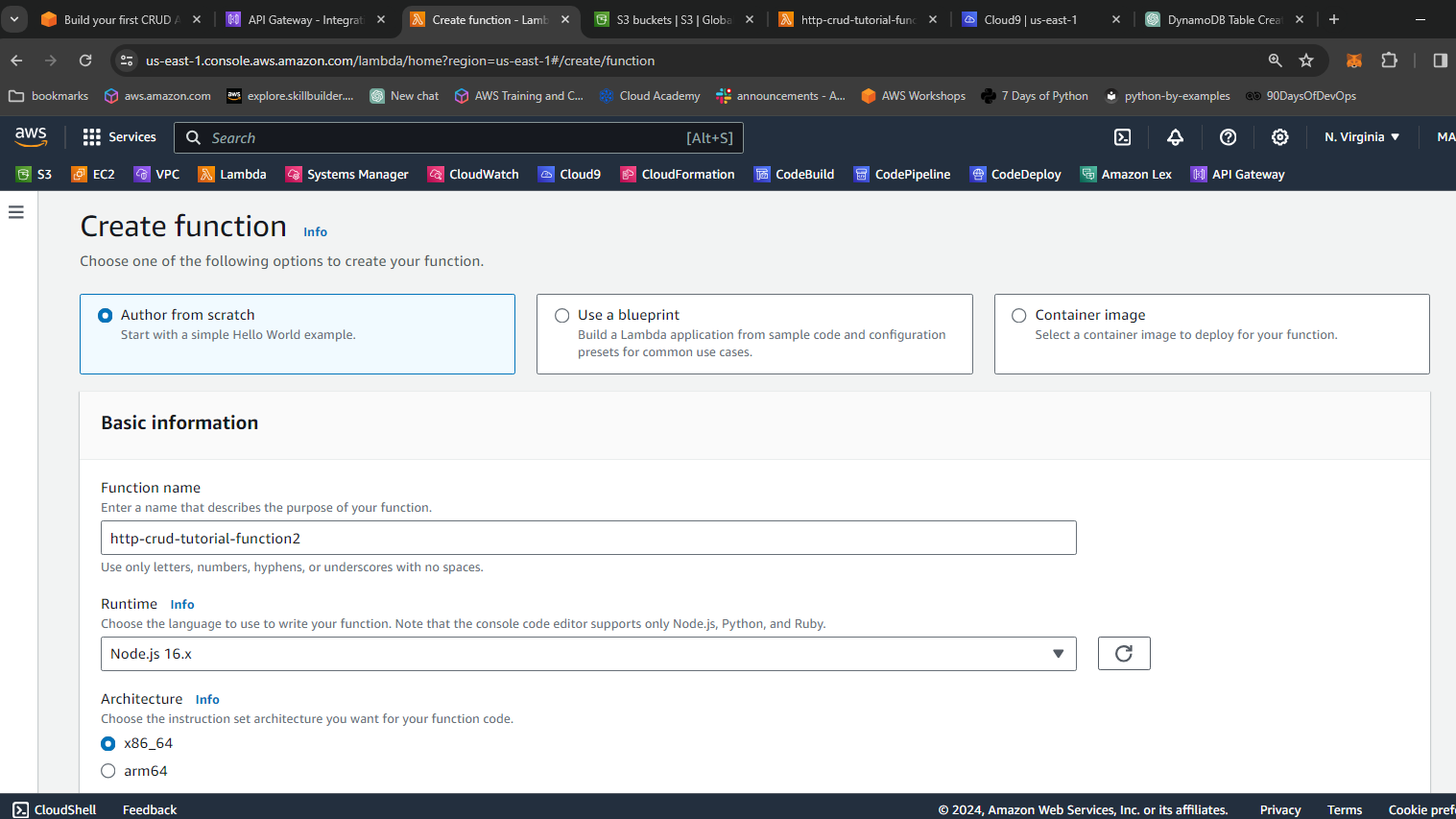
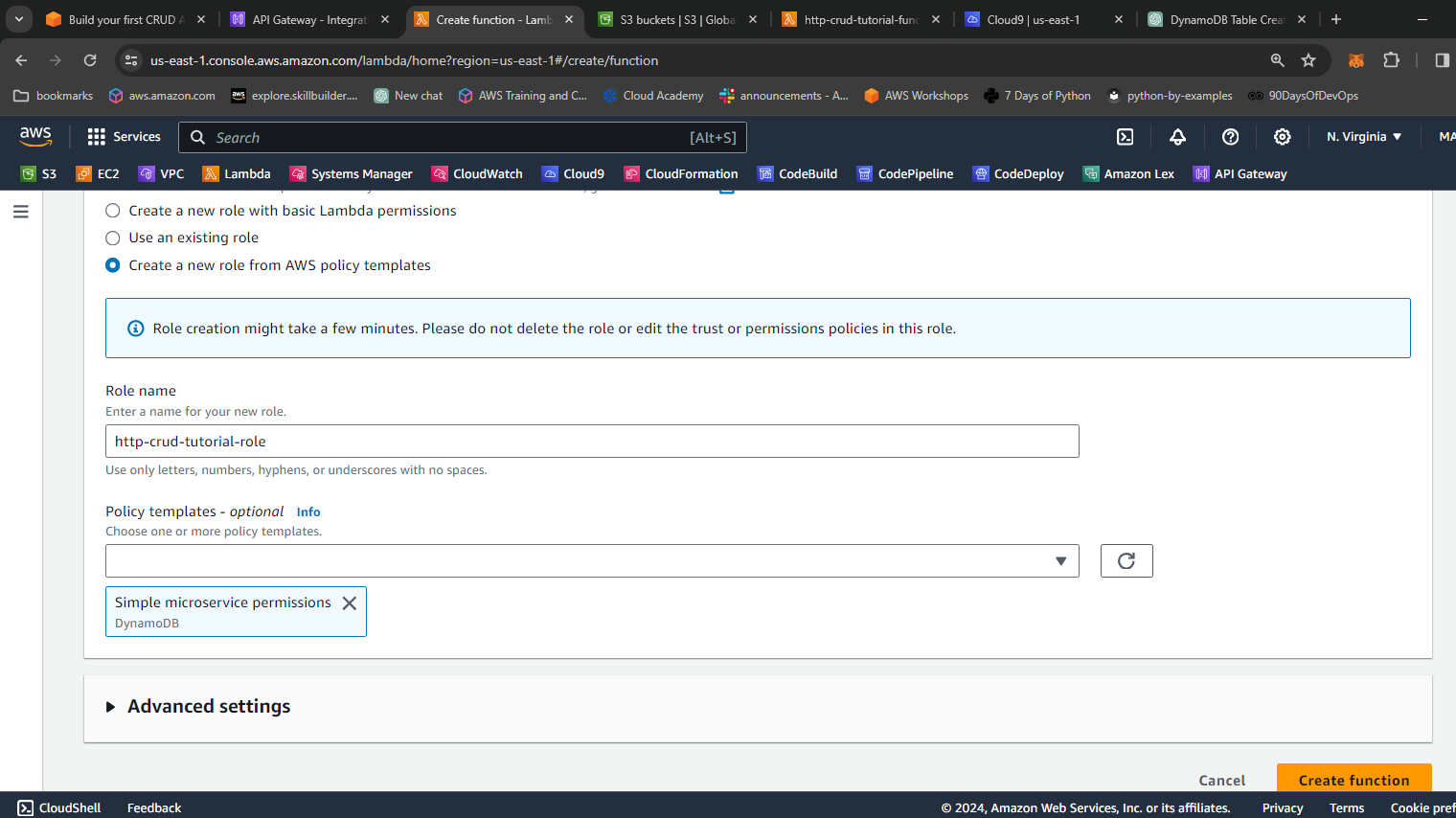 Create a Lambda function and insert the code in the index.js
const AWS = require("aws-sdk");

const dynamo = new AWS.DynamoDB.DocumentClient();

exports.handler = async (event, context) => {
  let body;
  let statusCode = 200;
  const headers = {
    "Content-Type": "application/json"
  };

  try {
    switch (event.routeKey) {
      case "DELETE /items/{id}":
        await dynamo
          .delete({
            TableName: "http-crud-tutorial-items",
            Key: {
              id: event.pathParameters.id
            }
          })
          .promise();
        body = `Deleted item ${event.pathParameters.id}`;
        break;
      case "GET /items/{id}":
        body = await dynamo
          .get({
            TableName: "http-crud-tutorial-items",
            Key: {
              id: event.pathParameters.id
            }
          })
          .promise();
        break;
      case "GET /items":
        body = await dynamo.scan({ TableName: "http-crud-tutorial-items" }).promise();
        break;
      case "PUT /items":
        let requestJSON = JSON.parse(event.body);
        await dynamo
          .put({
            TableName: "http-crud-tutorial-items",
            Item: {
              id: requestJSON.id,
              price: requestJSON.price,
              name: requestJSON.name
            }
          })
          .promise();
        body = `Put item ${requestJSON.id}`;
        break;
      default:
        throw new Error(`Unsupported route: "${event.routeKey}"`);
    }
  } catch (err) {
    statusCode = 400;
    body = err.message;
  } finally {
    body = JSON.stringify(body);
  }

  return {
    statusCode,
    body,
    headers
  };
};
Step 3: Configuring API Gateway
We then configure a HTTP API using API Gateway to expose our Lambda function as RESTful endpoints. We create routes for GET, POST, PUT, and DELETE methods to perform CRUD operations on the DynamoDB table.
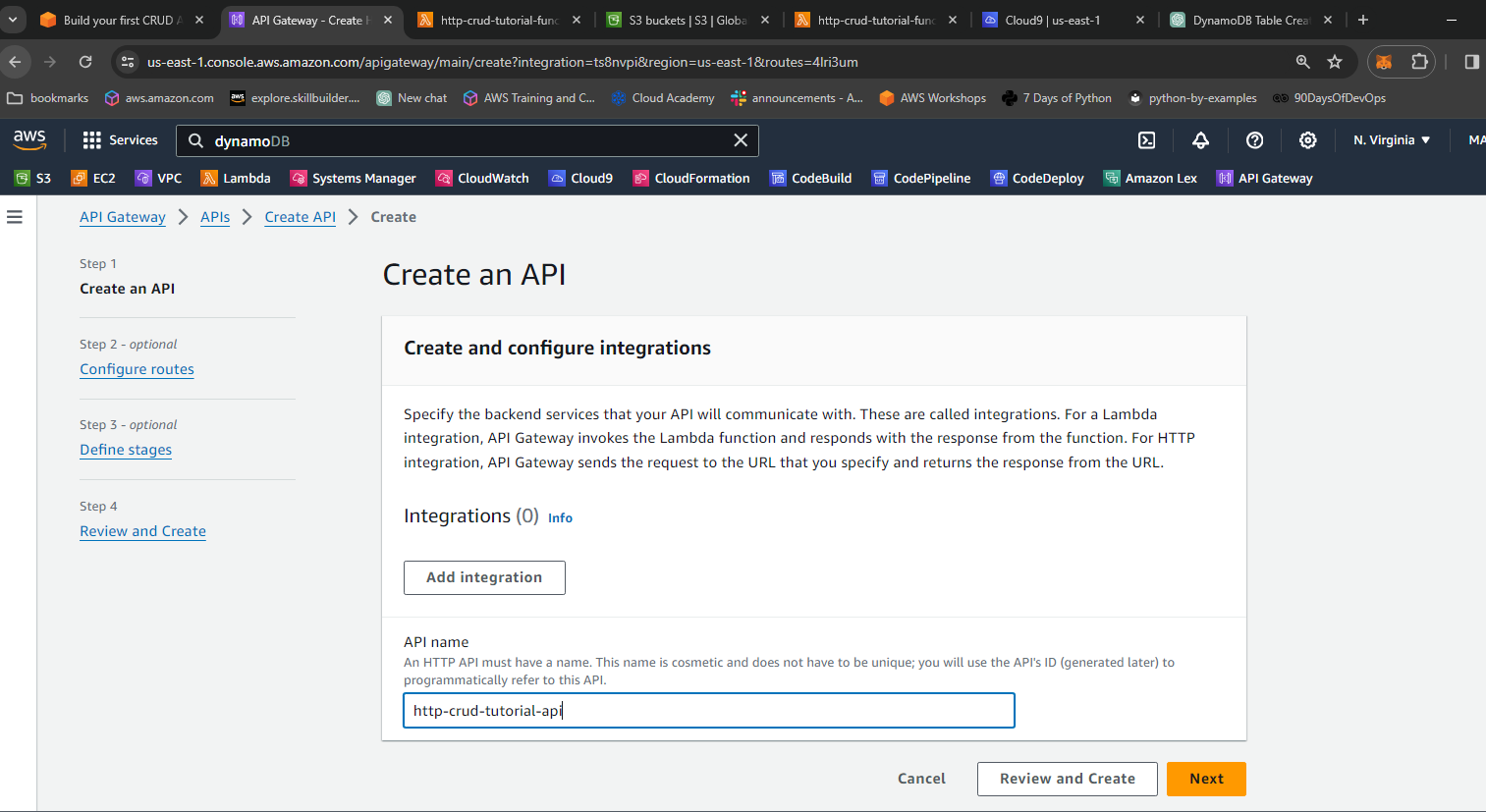 Create a HTTP API
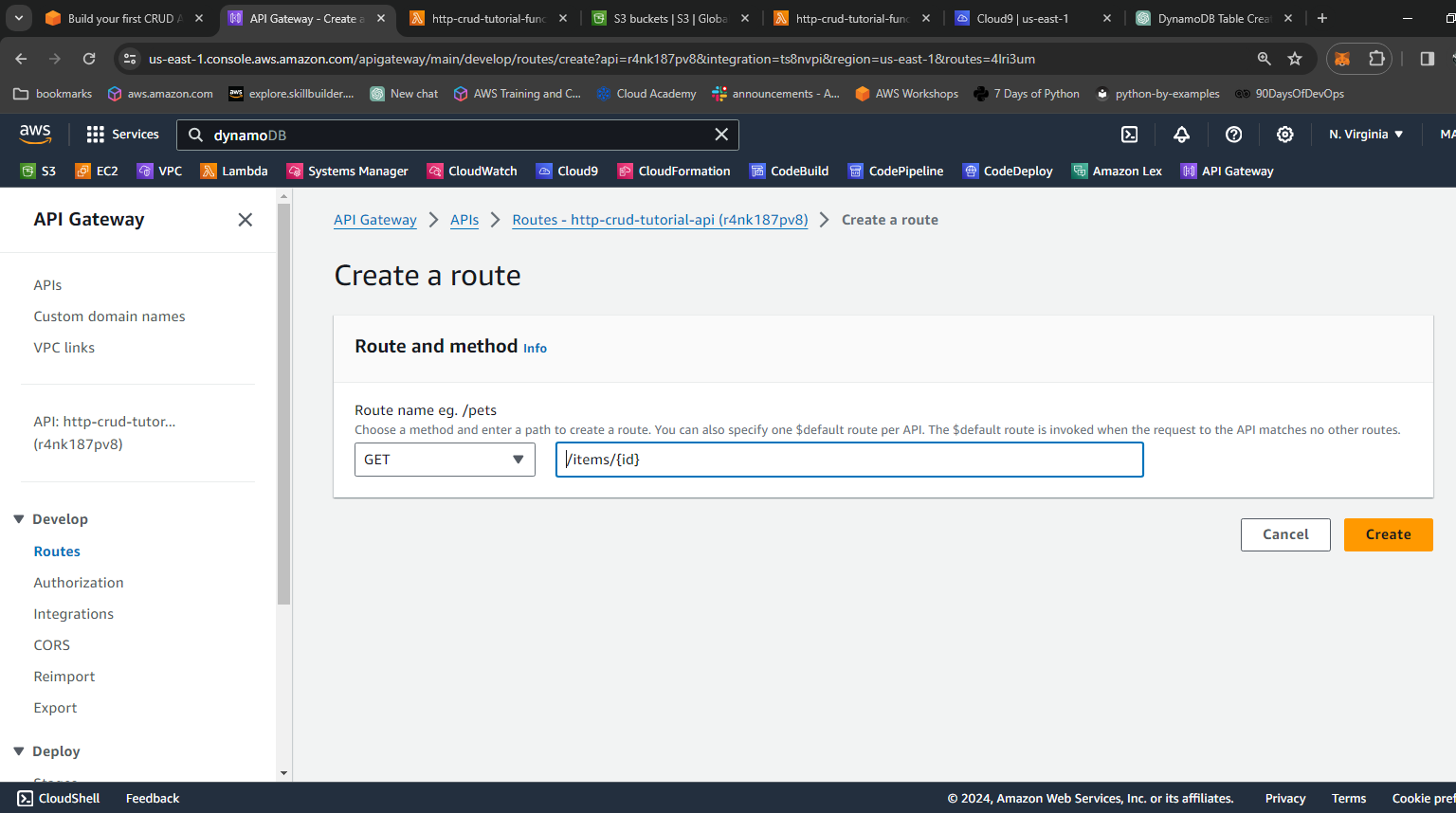
- choose GET the path, enter /items/{id}
- choose GET the path, enter /items
- choose PUT the path, enter /items
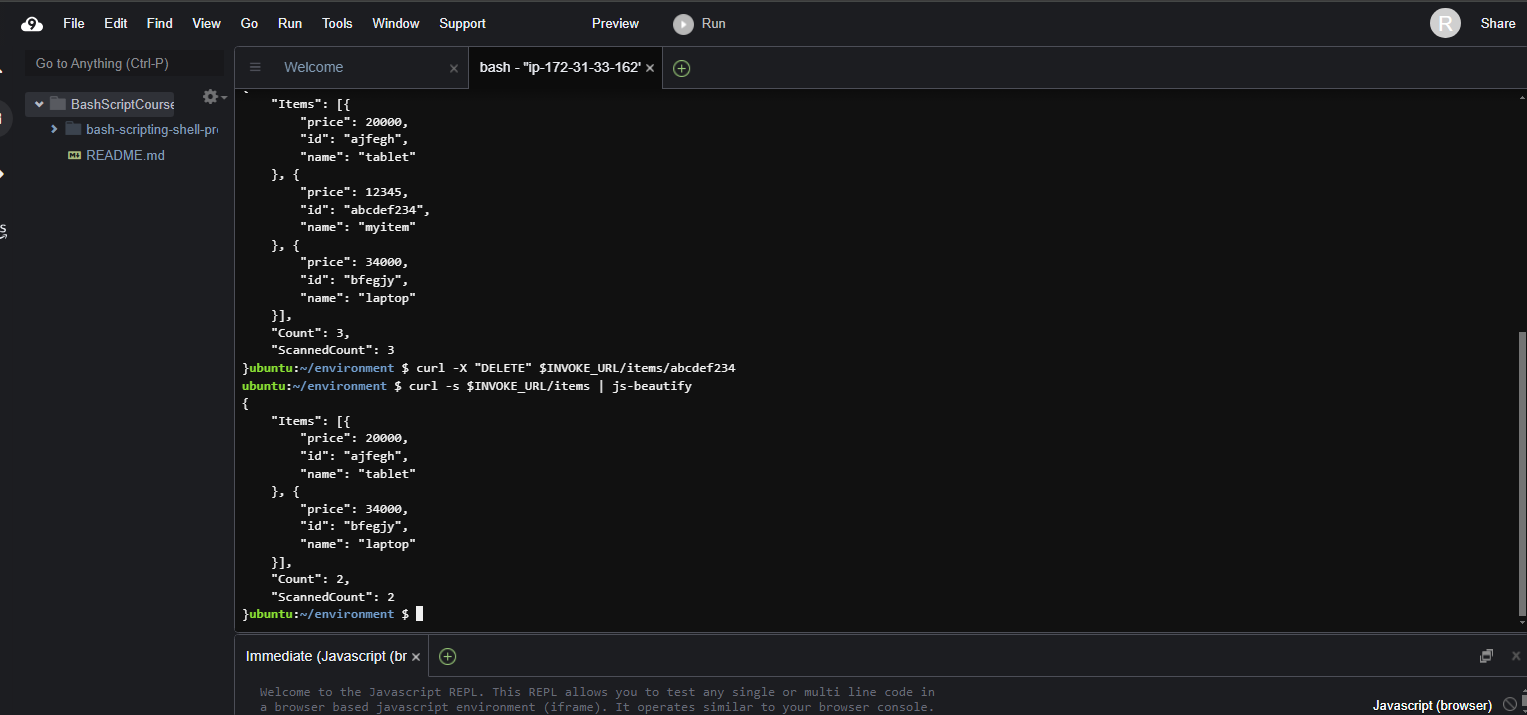
- choose DELETE the path, enter /items/{id}
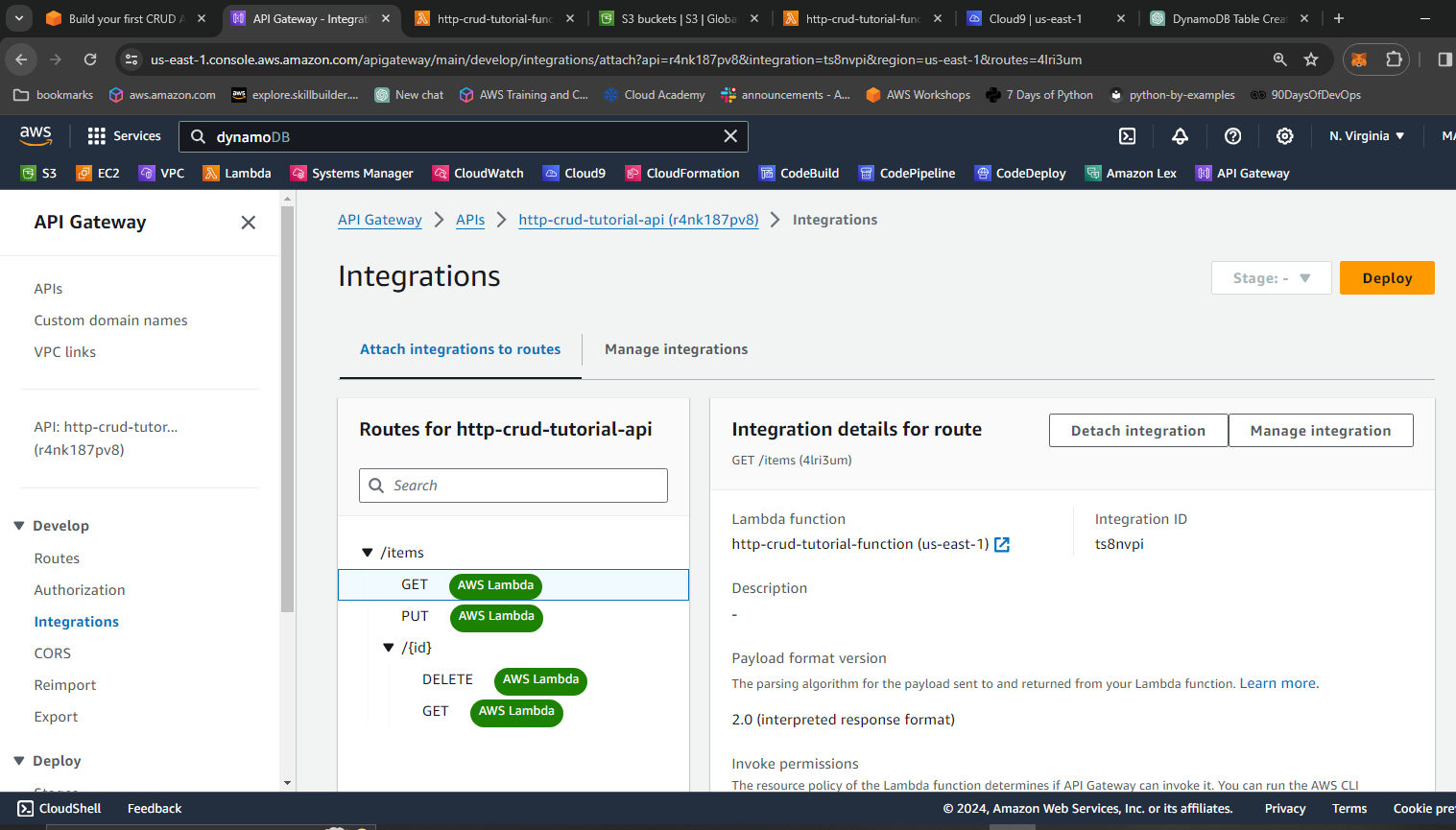 Integration type, choose Lambda function, enter http-crud-tutorial-function
Step 4: Testing the API
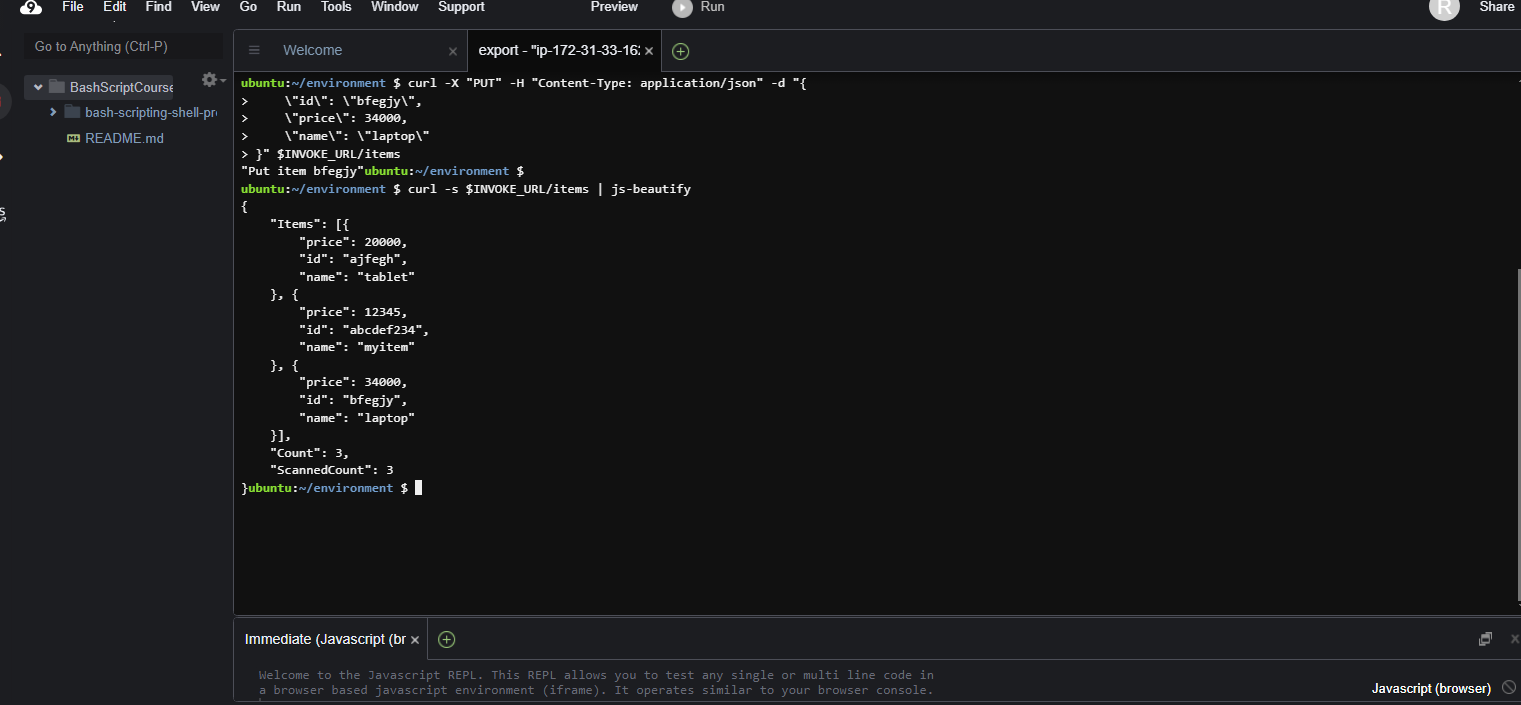
With our API set up, we use tools like CURL to test our endpoints. First we invoke the url, one can locate it from stages in your api details.
Replace URL INVOKE_URL="https://**abcdef123**.execute-api.eu-west-1.amazonaws.com"
curl -X "PUT" -H "Content-Type: application/json" -d "{
    \"id\": \"abcdef234\",
    \"price\": 12345,
    \"name\": \"myitem\"
}" $INVOKE_URL/items
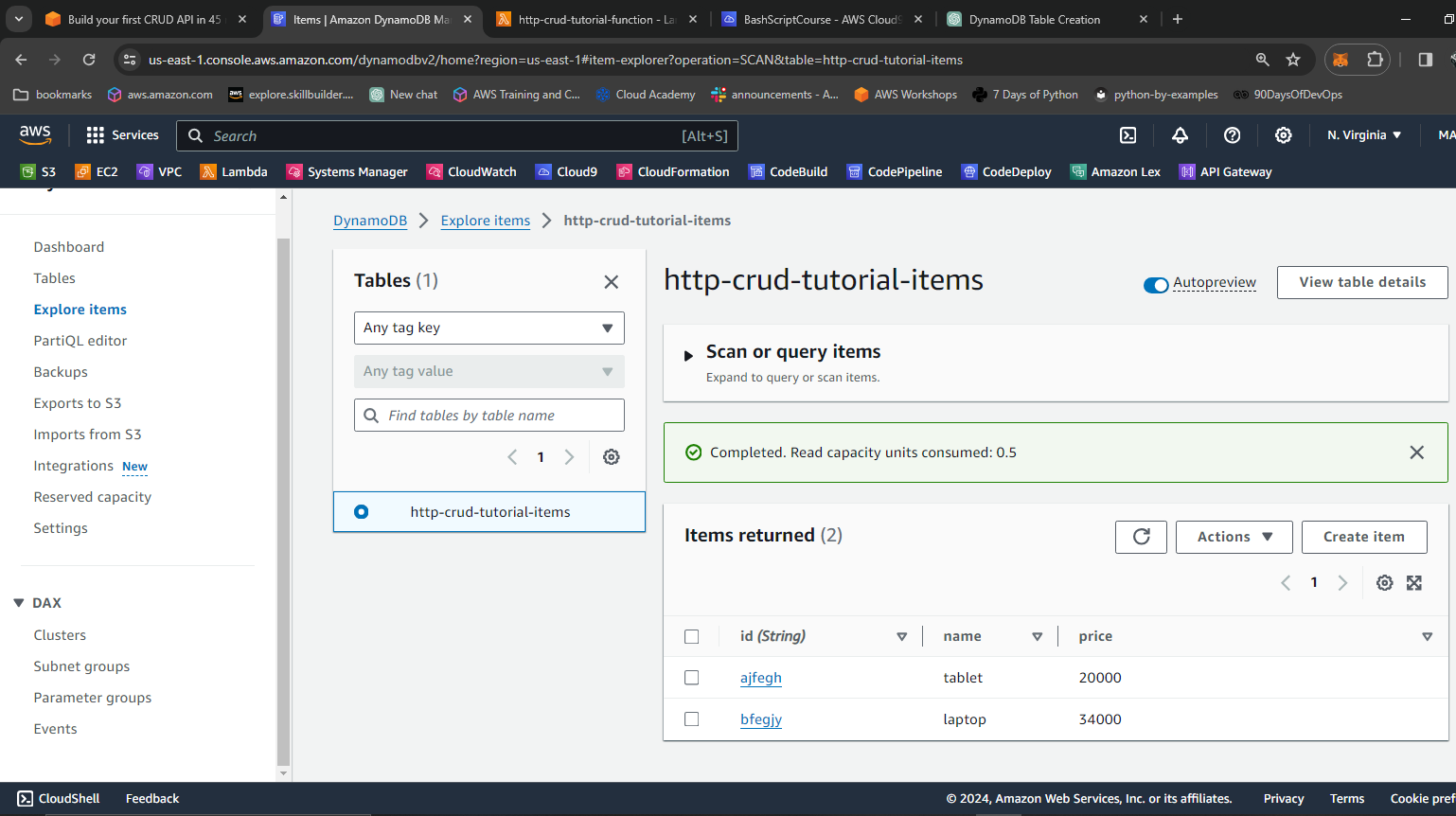
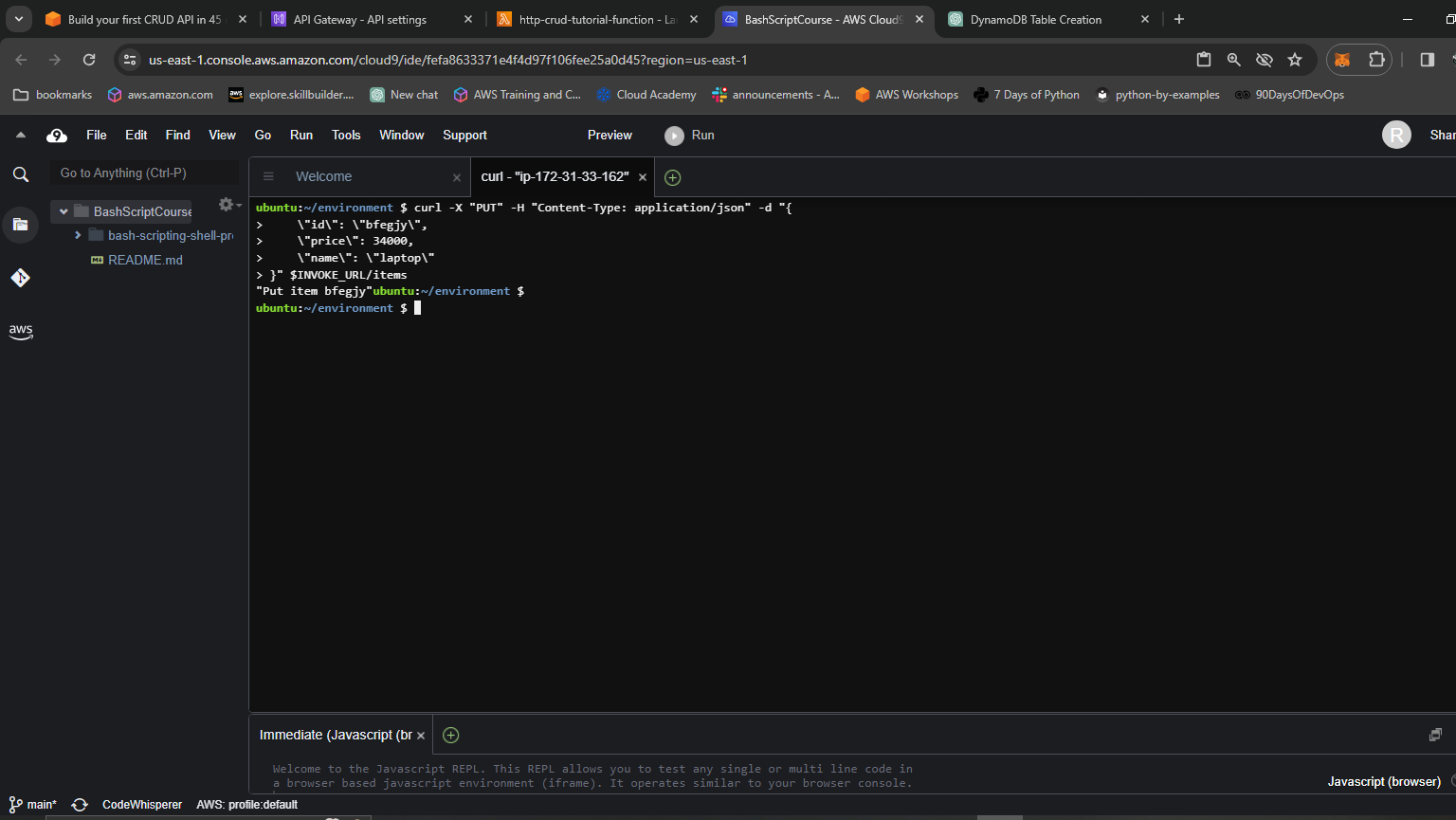 Add as many items as possible
 Test CRUD Functions
What I Learned
Going through this lab, a few things stood out that I didn’t fully appreciate before.
The first was how little boilerplate you actually need to wire up a fully functional API on AWS. The Lambda function handles all four CRUD operations in under 60 lines of code, and API Gateway takes care of routing without you managing a single server. Coming from a background where setting up a REST API meant configuring a web server, installing dependencies, and managing processes, this felt almost too easy.
The second thing that surprised me was how tightly the routeKey pattern in Lambda ties to the API Gateway route definition. If the route in API Gateway is GET /items/{id} and your switch case doesn’t match that string exactly, the request falls through to the default error. It’s a small thing, but it’s the kind of detail that can cost you 30 minutes of debugging if you’re not paying attention.
I also noticed that the lab uses Node.js 14.x, which is now end-of-life. In a real project I’d upgrade to Node.js 20.x and swap the AWS SDK v2 calls for the v3 modular client — it’s more tree-shakeable and better suited for Lambda’s cold start constraints.
Step 5: Conclusion
Building a simple CRUD API with AWS services empowers developers to create scalable and efficient solutions for managing data. By leveraging DynamoDB for storage, Lambda for serverless compute, API Gateway for endpoint management, and Cloud9 IDE for development and testing, this lab demonstrates a streamlined approach to serverless API development on AWS.